Filament: Rate-Limit an Action So Users Can't Spam It
2026-05-01 Filament v4/5You have a "Send Invoice" button or "Resend Verification Email" action and users are clicking it too much? Filament has a built-in rateLimit() method on actions so you can throttle how often a specific action can be triggered per user IP, per minute — no custom middleware or Laravel RateLimiter boilerplate required.
The Setup
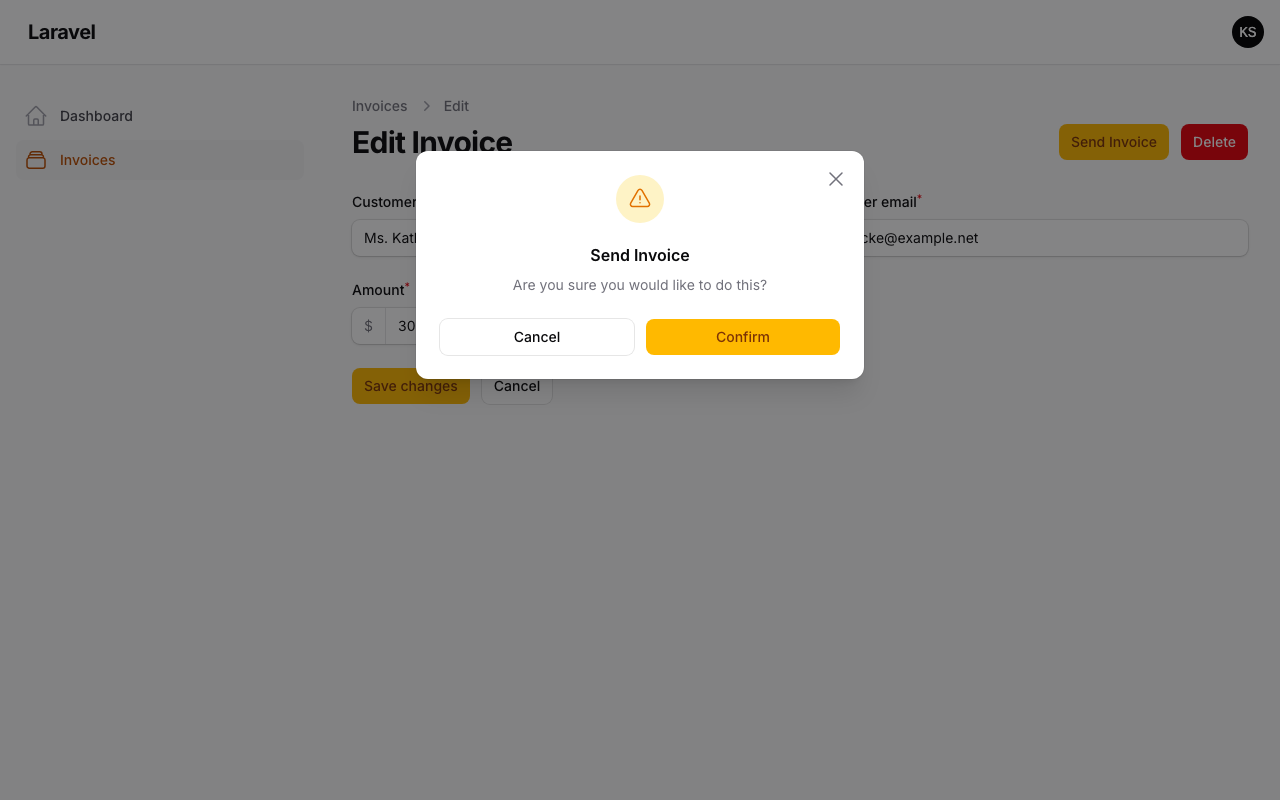
Say you have an Invoice resource with an Edit page that has a "Send Invoice" header action. Without any throttle, a user can click it dozens of times in a row and spam your email queue.
app/Filament/Resources/Invoices/Pages/EditInvoice.php
use Filament\Actions\Action;use Filament\Resources\Pages\EditRecord; class EditInvoice extends EditRecord{ protected static string $resource = InvoiceResource::class; protected function getHeaderActions(): array { return [ Action::make('sendInvoice') ->label('Send Invoice') ->requiresConfirmation() ->action(fn () => $this->record->sendToCustomer()), ]; }}Adding the Rate Limit
One method call is all you need:
app/Filament/Resources/Invoices/Pages/EditInvoice.php
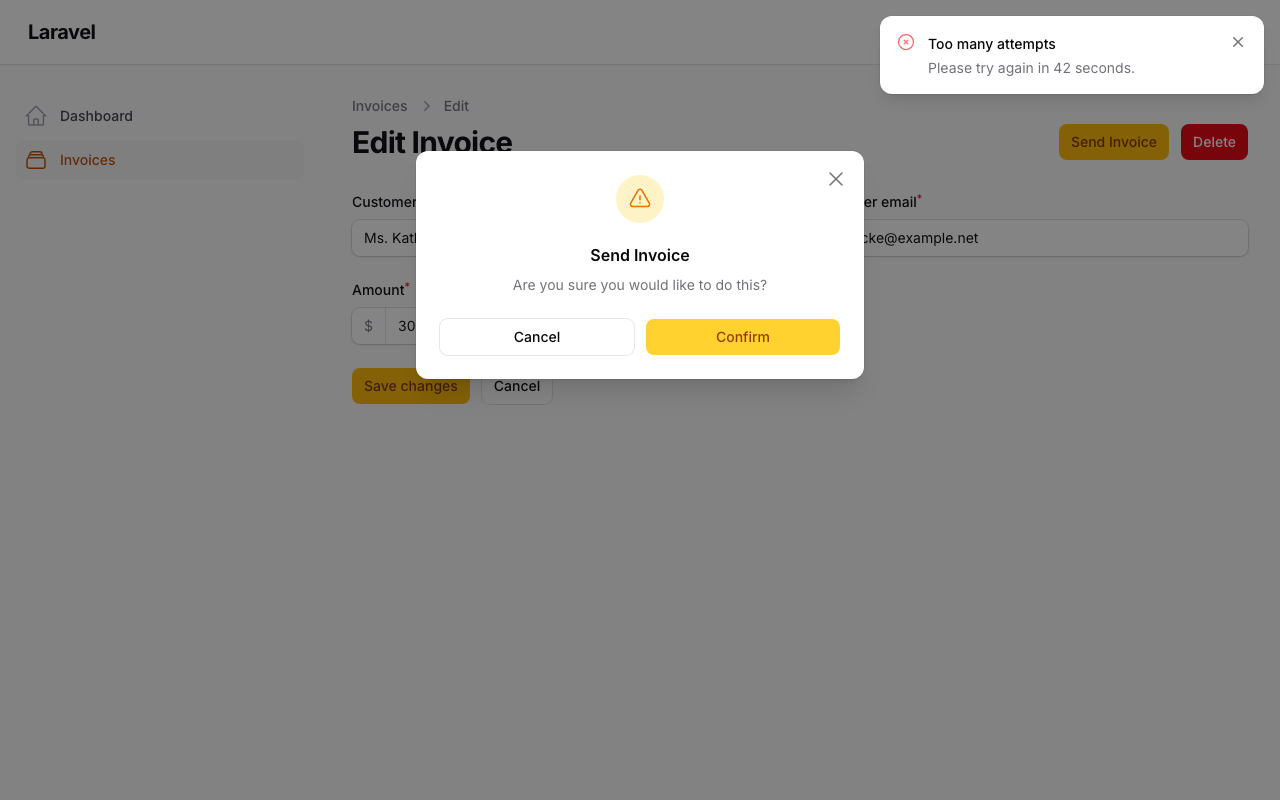
use Filament\Actions\Action;use Filament\Resources\Pages\EditRecord; class EditInvoice extends EditRecord{ protected static string $resource = InvoiceResource::class; protected function getHeaderActions(): array { return [ Action::make('sendInvoice') ->label('Send Invoice') ->requiresConfirmation() ->rateLimit(5) ->action(fn () => $this->record->sendToCustomer()), ]; }}The argument to rateLimit() is the number of attempts allowed per minute, per user IP address. After 5 confirmations in 60 seconds, the action refuses to run and shows a built-in danger notification telling the user how many seconds they need to wait before trying again.
After confirming 5 times in a minute, the 6th confirm triggers the built-in error:
How It Works
A few things worth knowing about how Filament applies the rate limit:
- The limit fires on modal submission, not on button click. If the action has
requiresConfirmation()or a form modal, the rate limit counter only increments when the user actually confirms or submits. Opening the modal repeatedly does not count against the limit. - The limit is scoped per Livewire component. Two different resources that both have an action named
sendInvoice(e.g.EditInvoiceandEditOrder) maintain separate counters. The rate limit key includes the Livewire component class, so there's no cross-resource bleed. - Record-specific actions get record-specific counters. If the action is triggered for a specific Eloquent model, the rate limit applies per unique record. Resending invoice #1 five times will not block you from sending invoice #2.
Dynamic Limits
rateLimit() also accepts a closure, so you can vary the limit based on the authenticated user or any other runtime condition:
->rateLimit(fn (): int => auth()->user()->isAdmin() ? 30 : 5)Admins get a higher budget; everyone else stays at 5.
When You Need More Control
The built-in rateLimit() covers the common case cleanly. If you need custom behavior — different time windows than 60 seconds, per-user limits instead of per-IP, or you want to apply the limit when the modal opens rather than when it submits — you can drop down to Laravel's RateLimiter facade directly inside mountUsing() or action() and send a notification yourself:
use Filament\Notifications\Notification;use Illuminate\Support\Facades\RateLimiter; Action::make('sendInvoice') ->action(function () { $key = 'send-invoice:' . auth()->id(); if (RateLimiter::tooManyAttempts($key, maxAttempts: 3)) { Notification::make() ->title('Slow down') ->body('You can send again in ' . RateLimiter::availableIn($key) . ' seconds.') ->danger() ->send(); return; } RateLimiter::hit($key, decaySeconds: 300); $this->record->sendToCustomer(); })This gives you a 5-minute window instead of the default 60-second one, and the limit is per user ID rather than per IP.
rateLimit() is the right default for most cases. Reach for the manual approach only when the built-in behavior genuinely doesn't fit.
A few of our Premium Examples: