
Fill Form Field Value with Suggestion from OpenAI API
Filament 3
Also available in
Filament 4/5 version
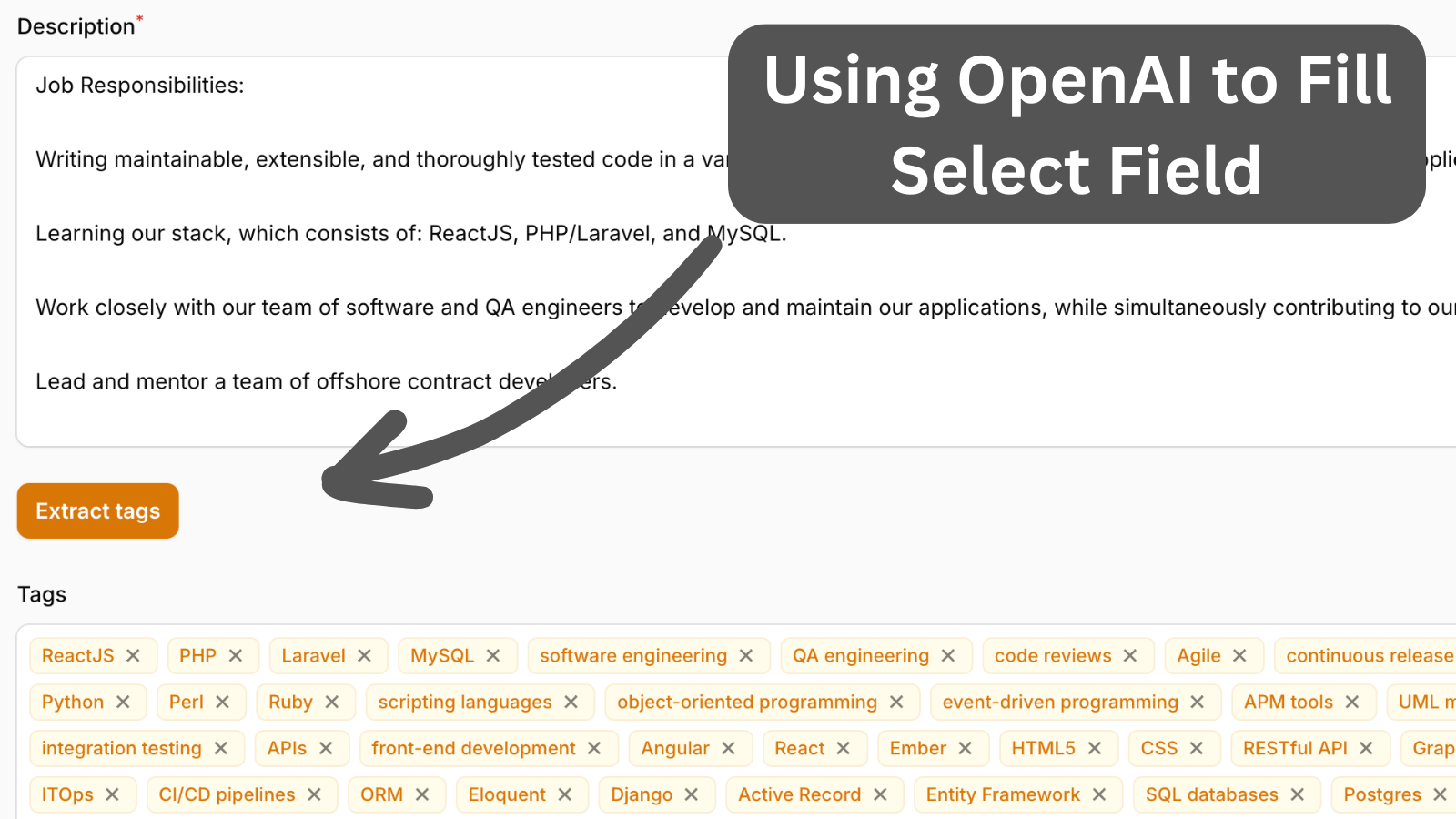
AI is a powerful tool, so why don't we add it to our Filament application? In this case, we want to generate a tag list from the description.
Get the Source Code:
Only This Example
$9
One-time payment
Full source code for Fill Form Field Value with Suggestion from OpenAI API
Downloadable ZIP file with the source code
Lifetime access to this example
 Sign in with GitHub to buy
Sign in first, then complete your $9 checkout.
Best value — all 176 examples
View membership plans
FilamentExamples Membership
$99
/year
or
$199
lifetime
Access to code of all 176 examples
Future new examples and updates included
FilaCheck Pro package licence included
MCP server included
30-day money-back guarantee
How it works
We have a simple form with a Multi-Select for Tags:
app/Filament/Resources/JobOfferResource.php
<?php namespace App\Filament\Resources; use App\Filament\Resources\JobOfferResource\Pages;use App\Filament\Resources\JobOfferResource\RelationManagers;use App\Models\JobOffer;use App\Models\Tag;use App\Services\OpenAiService;use Filament\Forms;use Filament\Forms\Form;use Filament\Resources\Resource;use Filament\Tables;use Filament\Tables\Table; class JobOfferResource extends Resource{ protected static ?string $model = JobOffer::class; protected static ?string $navigationIcon = 'heroicon-o-rectangle-stack'; public static function form(Form $form): Form { return $form ->schema([ Forms\Components\TextInput::make('title') ->required(), Forms\Components\Select::make('source_id') ->relationship('source', 'name') ->required(), Forms\Components\Textarea::make('description') ->required() ->rows(10) ->columnSpanFull(), Forms\Components\Select::make('tags') ->columnSpan(2) ->relationship('tags', 'name') ->createOptionForm([ Forms\Components\TextInput::make('name') ]) ->createOptionUsing(function (array $data): int { return Tag::create($data)->id; }) ->multiple(), ]); } // ...}And here we want to add a OpenAI query to extract these tags automatically using AI. So let's create our Action button:
app/Filament/Resources/JobOfferResource.php
// ... Forms\Components\Textarea::make('description') ->required() ->rows(10) ->columnSpanFull(),Forms\Components\Actions::make([ Forms\Components\Actions\Action::make('extractTags') ->action(function (Forms\Get $get, Forms\Set $set) { $tags = (new OpenAiService())->retrieveTagsForDescription($get('description')); // ...Next we will create:
- OpenAiService that calls OpenAI API
- Prompts
- Automatic selection of new suggested tags
The FULL tutorial is available after the purchase: in the Readme file of the official
repository you would get invited to.