Filament Forms Take Too Much Space? Decrease Spacing.
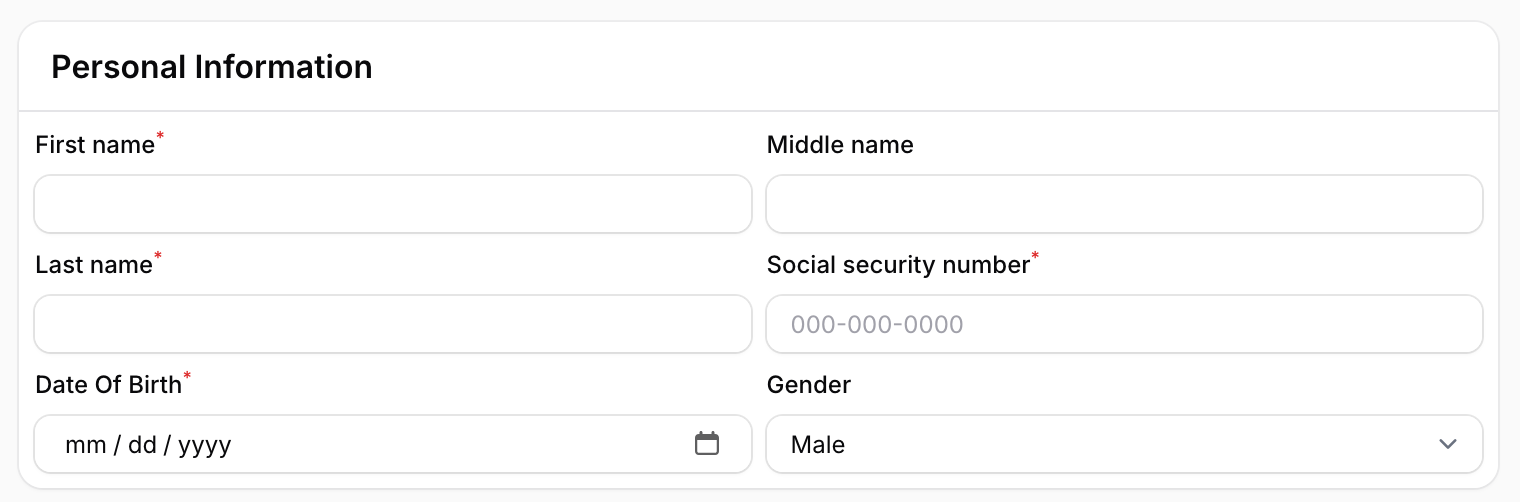
2025-05-09 Filament v4/5Filament forms come with a large spacing, which you might want to reduce.

By reducing the spacing, the form can look like this:
Creating New Theme
We must create a new theme for this tutorial since we will override some Filament design elements.
Let's start by running a console command:
php artisan make:filament-themeThis will create new theme scaffolding for us. But we still have to do two things:
First, we need to configure Vite by adding our theme as a source:
vite.config.js
import { defineConfig } from 'vite';import laravel from 'laravel-vite-plugin'; export default defineConfig({ plugins: [ laravel({ input: [ 'resources/css/app.css', 'resources/js/app.js', 'resources/css/filament/admin/theme.css' ], refresh: true, }), ],});Then we have to register our new theme in a PanelProvider:
app/Providers/Filament/AdminPanelProvider.php:
return $panel // ... ->viteTheme('resources/css/filament/admin/theme.css');Once we have done that, we can run:
npm run build# Or we can runnpm run devTo either build production assets or watch for changes.
Filament v4
Smaller Inputs with Labels
First, we can apply a smaller font size for the inputs and the label.
resources/css/filament/admin/theme.css:
@import '../../../../vendor/filament/filament/resources/css/theme.css'; @source '../../../../app/Filament/**/*';@source '../../../../resources/views/filament/**/*'; label.fi-fo-field-label>span.fi-fo-field-label-content { @apply text-xs;}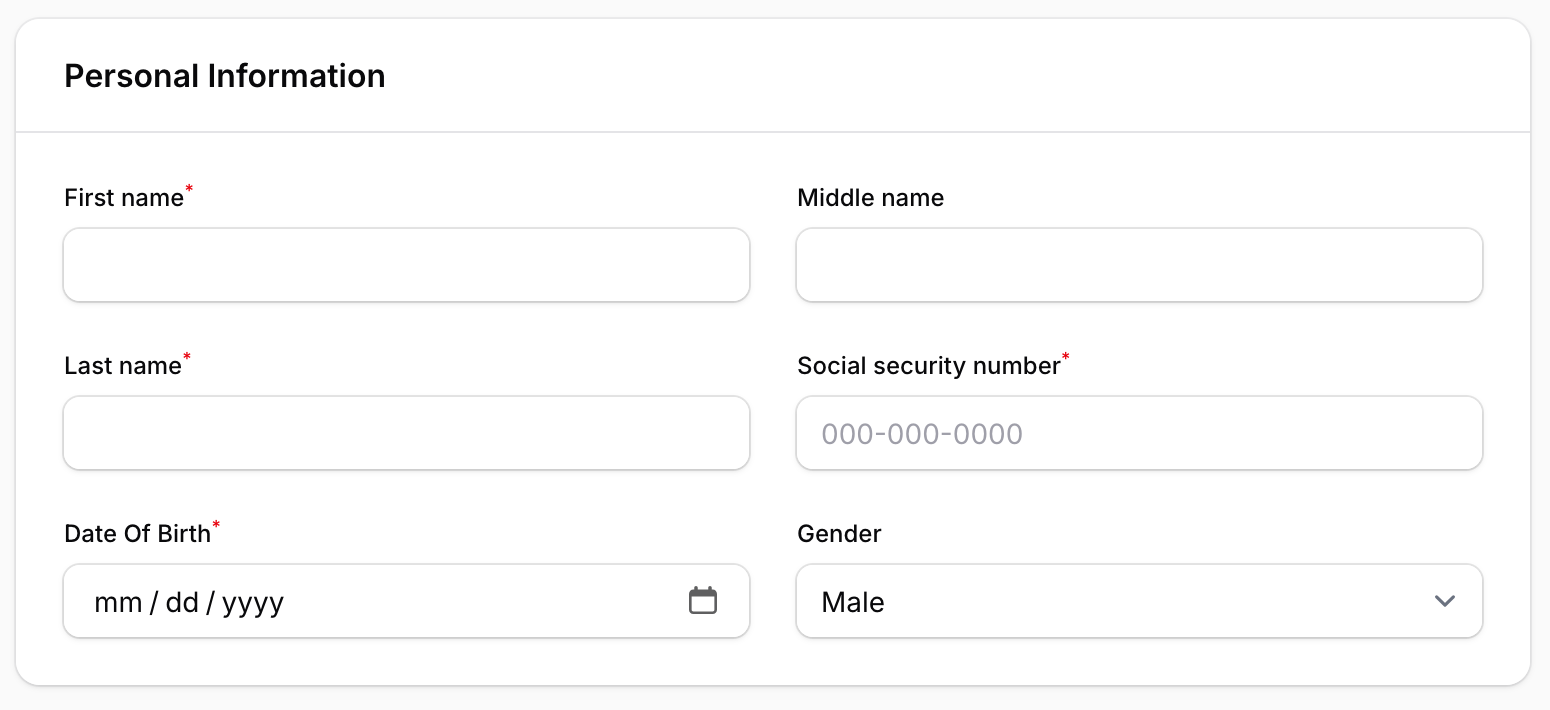
Reducing Spacing
Finally, we can reduce the spacing between inputs and the section.
@import '/vendor/filament/filament/resources/css/theme.css'; @config 'tailwind.config.js'; .fi-input, .fi-select-input, .fi-fo-field-wrp-label > span { @apply text-xs;} form .fi-section.fi-section:not(.fi-section-not-contained):not(.fi-divided)>.fi-section-content-ctn>.fi-section-content, .fi-section:not(.fi-section-not-contained).fi-divided>.fi-section-content-ctn>.fi-section-content { @apply p-2;} .fi-sc.fi-sc-has-gap { @apply gap-2;} 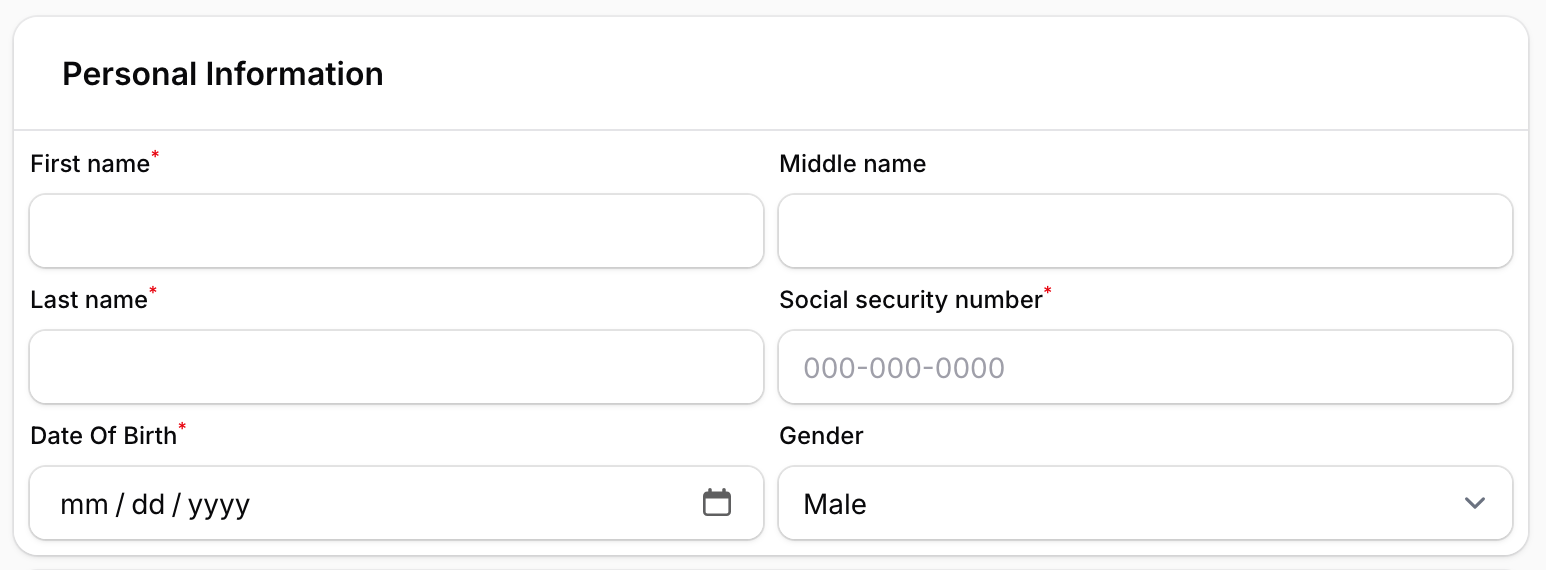
Do not forget to run npm run build to see the changes if not using npm run dev.
Filament v3
Smaller Inputs with Labels
First, we can apply a smaller font size for the inputs and the label.
resources/css/filament/admin/theme.css:
@import '../../../../vendor/filament/filament/resources/css/theme.css'; @source '../../../../app/Filament/**/*';@source '../../../../resources/views/filament/**/*'; .fi-input, .fi-select-input, .fi-fo-field-wrp-label > span { @apply text-xs;}After refreshing the page, we should see smaller inputs and labels:
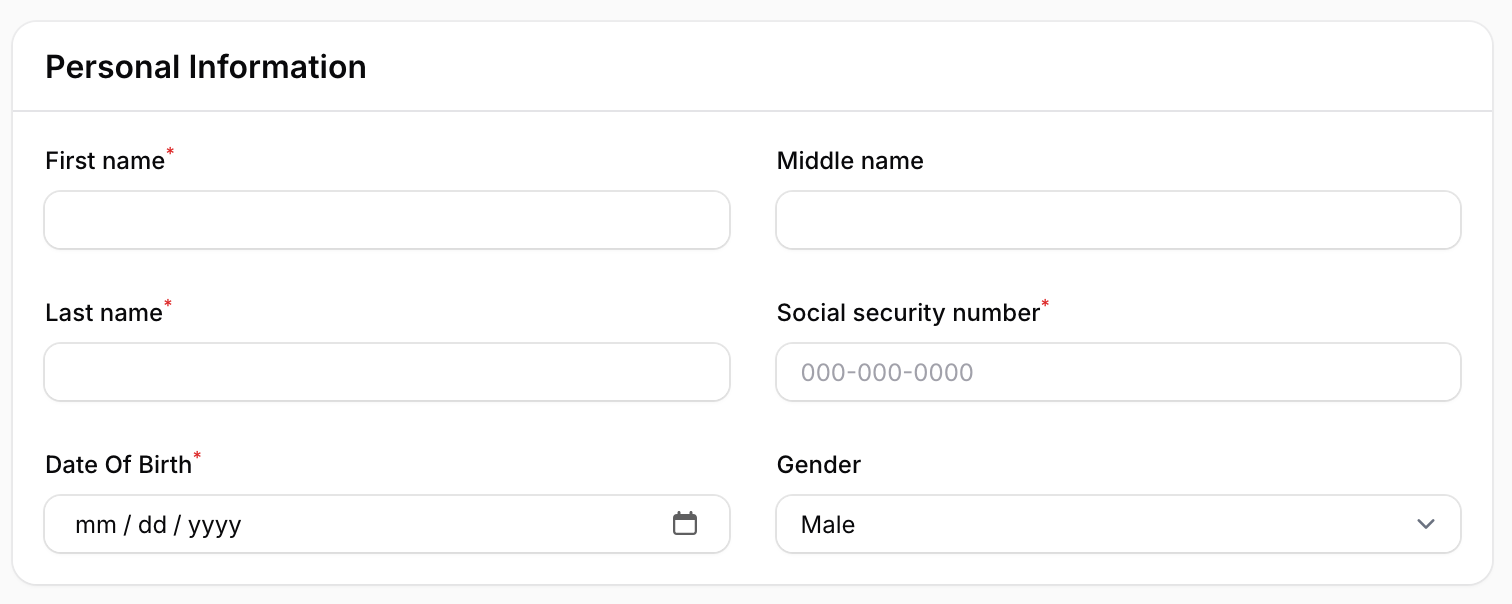
Reducing Spacing
Finally, we can reduce the spacing between inputs and the section.
@import '/vendor/filament/filament/resources/css/theme.css'; @config 'tailwind.config.js'; .fi-input, .fi-select-input, .fi-fo-field-wrp-label > span { @apply text-xs;} .fi-section-content { @apply p-2;} .fi-fo-component-ctn { @apply gap-2;}
Do not forget to run npm run build to see the changes if not using npm run dev.
In this tutorial, we've showed the general approach. With the same procedure, you can change styling for all the OTHER inputs.
A few of our Premium Examples: