Filament: Input with a Measurement Unit Dropdown (FusedGroup)
2026-03-16 Filament v4/5You have a numeric input like Amount in a recipe and you need a unit dropdown right next to it? Something like grams, cups, tablespoons. Two separate fields, but they should look and feel like one.
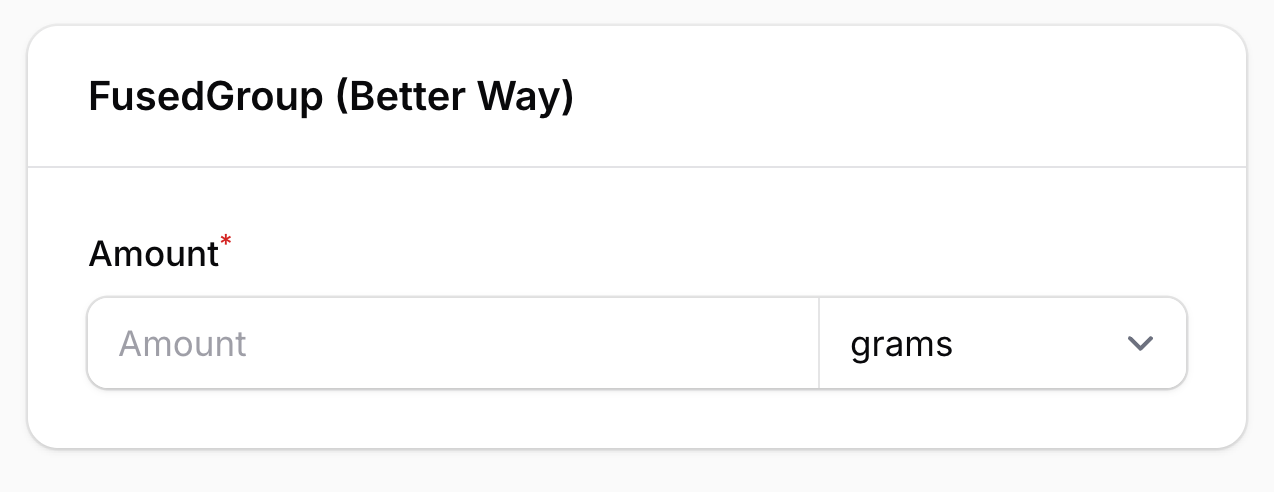
Before Filament v4, you'd either hack it with a Grid layout or build a custom field component. Now there's a cleaner way.
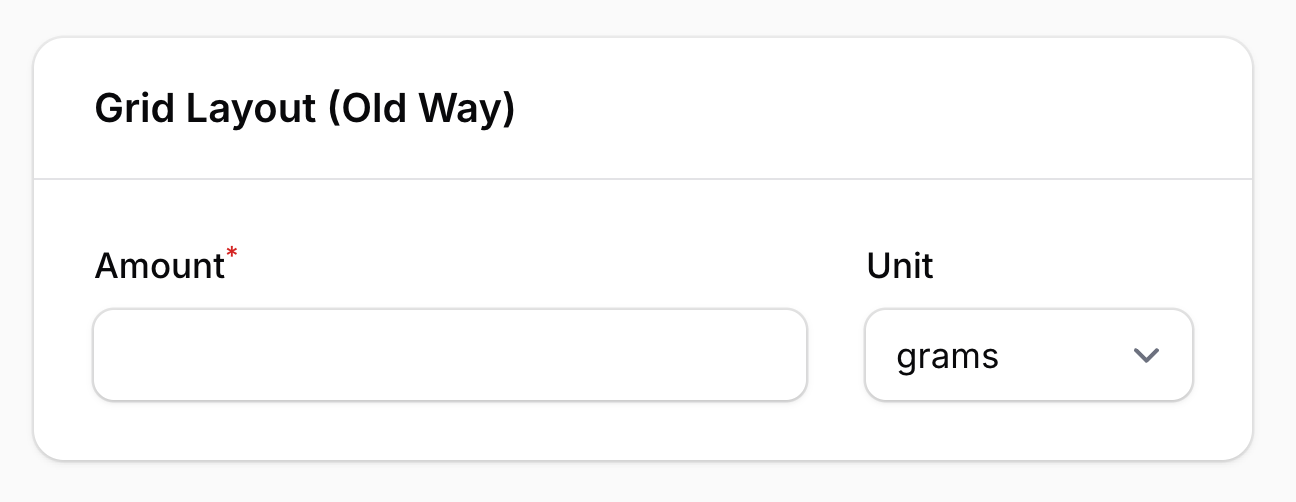
The Old Way: Grid Layout
The straightforward approach is putting a TextInput and a Select side by side in a Grid:
use Filament\Forms\Components\Grid;use Filament\Forms\Components\Select;use Filament\Forms\Components\TextInput; Grid::make(3) ->schema([ TextInput::make('amount') ->label('Amount') ->numeric() ->required() ->columnSpan(2), Select::make('unit') ->label('Unit') ->options([ 'g' => 'grams', 'kg' => 'kilograms', 'ml' => 'milliliters', 'l' => 'liters', 'cup' => 'cups', 'tbsp' => 'tablespoons', 'tsp' => 'teaspoons', ]) ->default('g') ->columnSpan(1), ]),This works, but they render as two visually separate fields — separate borders, separate labels. It doesn't feel like one cohesive input.
The Better Way: FusedGroup
Filament v4 introduced FusedGroup, which visually fuses multiple fields into a single unit. The fields share one border and sit flush against each other — exactly the look from the screenshot.
use Filament\Forms\Components\Select;use Filament\Forms\Components\TextInput;use Filament\Schemas\Components\FusedGroup; FusedGroup::make([ TextInput::make('amount') ->placeholder('Amount') ->numeric() ->required() ->columnSpan(2), Select::make('unit') ->placeholder('Unit') ->options([ 'g' => 'grams', 'kg' => 'kilograms', 'ml' => 'milliliters', 'l' => 'liters', 'cup' => 'cups', 'tbsp' => 'tablespoons', 'tsp' => 'teaspoons', ]) ->default('g'),]) ->label('Amount') ->columns(3)
How It Works
FusedGroup::make([...])accepts an array of compatible fields —TextInput,Select,DateTimePicker, andColorPickerall work.- The
->label('Amount')goes on the group itself, not the individual fields. Use->placeholder()on each field instead. ->columns(3)with->columnSpan(2)on the text input gives the number field twice the width of the unit dropdown.
The fields still store their values independently — amount and unit are separate form state keys. You get the unified look without sacrificing Filament's built-in validation, state management, or reactivity.
FusedGroup doesn't interfere with any of Filament's form features — it's purely a visual wrapper. You can use it anywhere you'd pair a value with a unit, a currency code, or a country prefix.
A few of our Premium Examples: