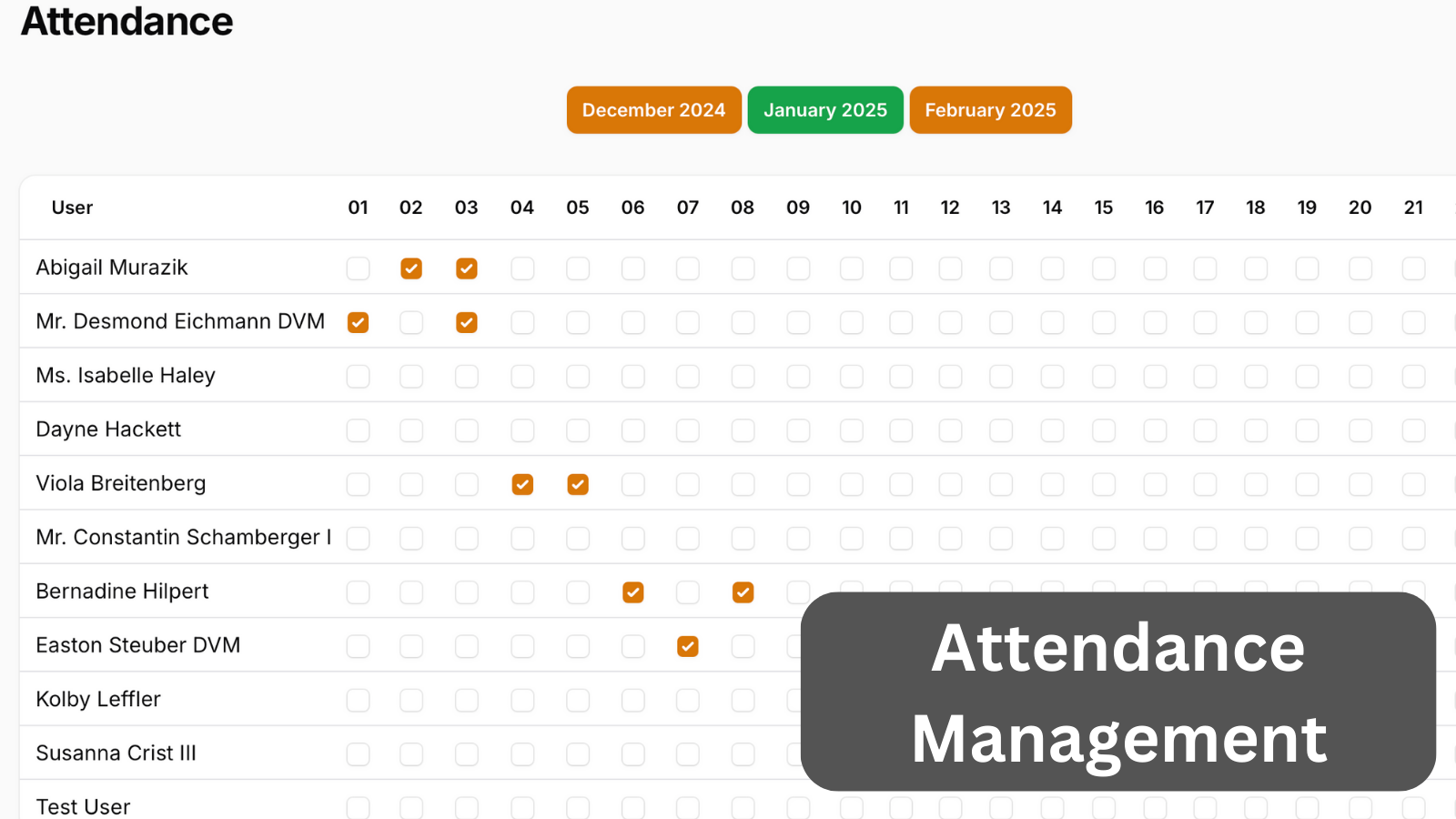
Filament: Student/Employee Attendance Management Form
Filament 4/5
Also available in
Filament 3 version
Build an attendance form to mark each day of the month as present or absent. The form is custom-built using Livewire while leveraging Filament Blade Components for easier development and consistent design with the rest of the application.
Get the Source Code:
Only This Example
$9
One-time payment
Full source code for Filament: Student/Employee Attendance Management Form
Downloadable ZIP file with the source code
Lifetime access to this example
 Sign in with GitHub to buy
Sign in first, then complete your $9 checkout.
Best value — all 177 examples
View membership plans
FilamentExamples Membership
$99
/year
or
$199
lifetime
Access to code of all 177 examples
Future new examples and updates included
FilaCheck Pro package licence included
MCP server included
30-day money-back guarantee
How it works
First, we need a new Filament Page:
php artisan make:filament-page AttendanceThis will create a Livewire component and a Blade view for us.
Now, let's start by adding our Month selector. For this, we will:
- Store our selected date in a public property with the
#[Url]attribute to make it available in the URL. - On mount, we will set the selected date to the current date.
- Create a method for the previous, current, and next month.
- Create methods to navigate to the previous and next month.
app/Filament/Pages/Attendance.php
use Filament\Support\Enums\Width;use App\Models\User;use Carbon\Carbon;use Illuminate\Support\Collection;use Filament\Support\Icons\Heroicon;use Filament\Notifications\Notification;use Filament\Pages\Page;use Livewire\Attributes\Url;use App\Models\Attendance as AttendanceModel; class Attendance extends Page{ protected static string | \BackedEnum | null $navigationIcon = Heroicon::OutlinedDocumentText; protected Width|string|null $maxContentWidth = 'full'; protected string $view = 'filament.pages.attendance'; #[Url] public ?string $selectedDate = null; public function mount(): void { if (! $this->selectedDate) { $this->selectedDate = now(); } } protected function getViewData(): array { return [ 'dates' => $this->getDates(), ]; } public function getDates(): array { $currentDate = Carbon::parse($this->selectedDate); return [ 'previous' => $currentDate->copy()->subMonthNoOverflow()->format('F Y'), 'current' => $currentDate->format('F Y'), 'next' => $currentDate->copy()->addMonthNoOverflow()->format('F Y'), ]; } public function previousMonth(): void { $this->selectedDate = Carbon::parse($this->selectedDate)->subMonthNoOverflow(); } public function nextMonth(): void { $this->selectedDate = Carbon::parse($this->selectedDate)->addMonthNoOverflow(); }}Now, we need to add this to our Blade view:
The FULL tutorial is available after the purchase: in the Readme file of the official
repository you would get invited to.