Filament: Student/Employee Attendance Management Form
Filament 3
Also available in
Filament 4/5 version
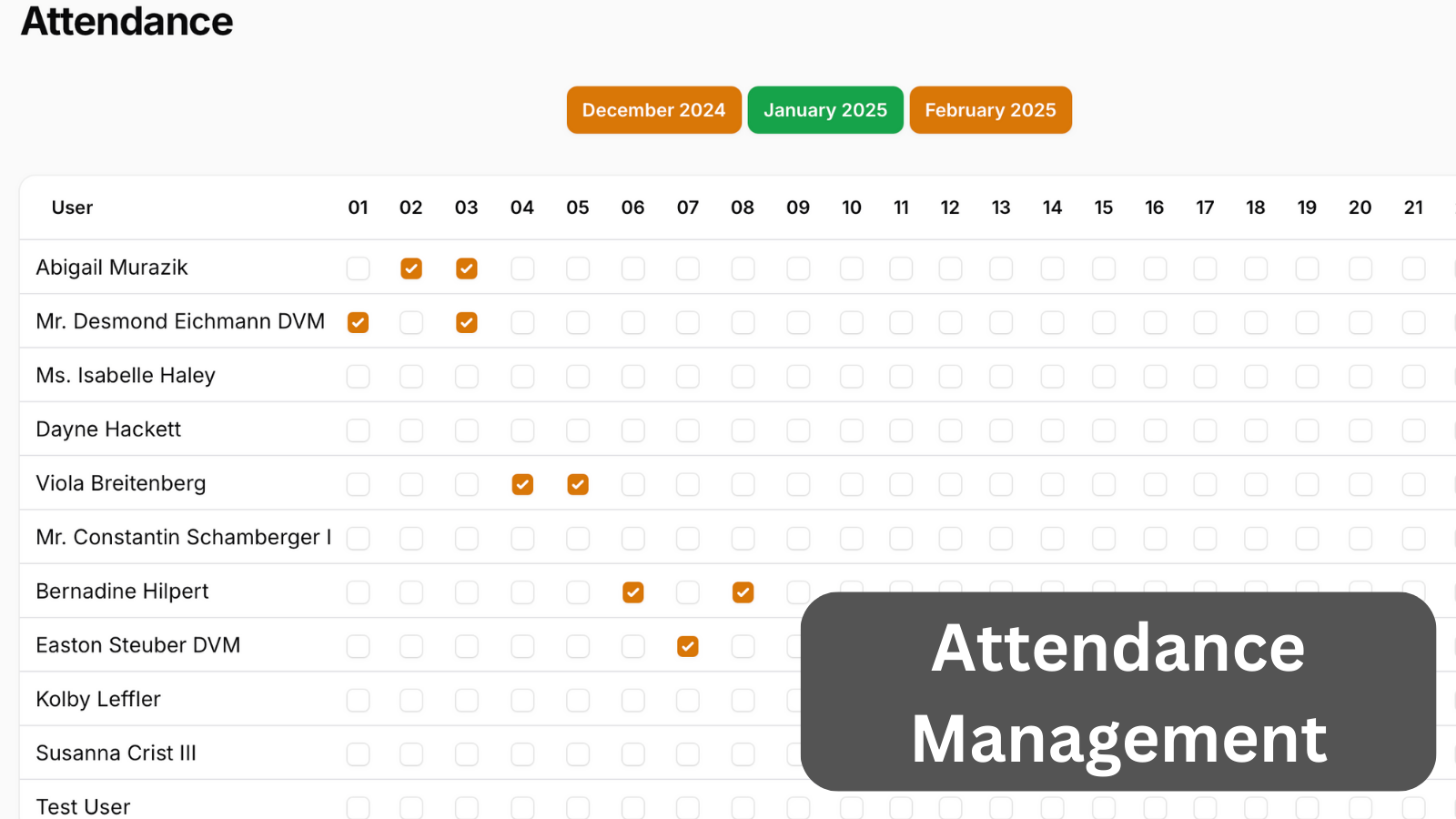
We can create all sorts of custom pages with Filament view components, including complex forms. In this example, we use Table, Button, and Checkbox components to create a custom View and match Filament Style.
Get the Source Code:
Only This Example
$9
One-time payment
Full source code for Filament: Student/Employee Attendance Management Form
Downloadable ZIP file with the source code
Lifetime access to this example
 Sign in with GitHub to buy
Sign in first, then complete your $9 checkout.
Best value — all 177 examples
View membership plans
FilamentExamples Membership
$99
/year
or
$199
lifetime
Access to code of all 177 examples
Future new examples and updates included
FilaCheck Pro package licence included
MCP server included
30-day money-back guarantee
How it works
First, we need a new Filament Page:
php artisan make:filament-page AttendanceThis will create a Livewire component and a Blade view for us.
Now, let's start by adding our Month selector. For this, we will:
- Store our selected date in a public property with the
#[Url]attribute to make it available in the URL. - On mount, we will set the selected date to the current date.
- Create a method for the previous, current, and next month.
- Create methods to navigate to the previous and next month.
app/Filament/Pages/Attendance.php
use Carbon\Carbon;use Filament\Pages\Page;use Livewire\Attributes\Url; class Attendance extends Page{ protected static ?string $navigationIcon = 'heroicon-o-document-text'; protected ?string $maxContentWidth = 'full'; protected static string $view = 'filament.pages.attendance'; #[Url] public ?string $selectedDate = null; public function mount() { if (!$this->selectedDate) { $this->selectedDate = now(); } } protected function getViewData(): array { return [ 'dates' => $this->getDates(), ]; } public function getDates(): array { $currentDate = Carbon::parse($this->selectedDate); return [ 'previous' => $currentDate->copy()->subMonthNoOverflow()->format('F Y'), 'current' => $currentDate->format('F Y'), 'next' => $currentDate->copy()->addMonthNoOverflow()->format('F Y'), ]; } // ...Next, we will build:
- Month switching
- Custom Table with Checkboxes
- Custom data saving
The FULL tutorial is available after the purchase: in the Readme file of the official
repository you would get invited to.