Filament UX: Move Record Actions Buttons BEFORE Columns on Wide Tables
2026-04-02 Filament v4/5Your Filament resource table has 8+ columns: name, email, status, dates, counts, categories. The Edit and Delete buttons sit in the last cell, way off to the right. On smaller screens, the user has to scroll horizontally just to find the actions.
There's a one-line fix.
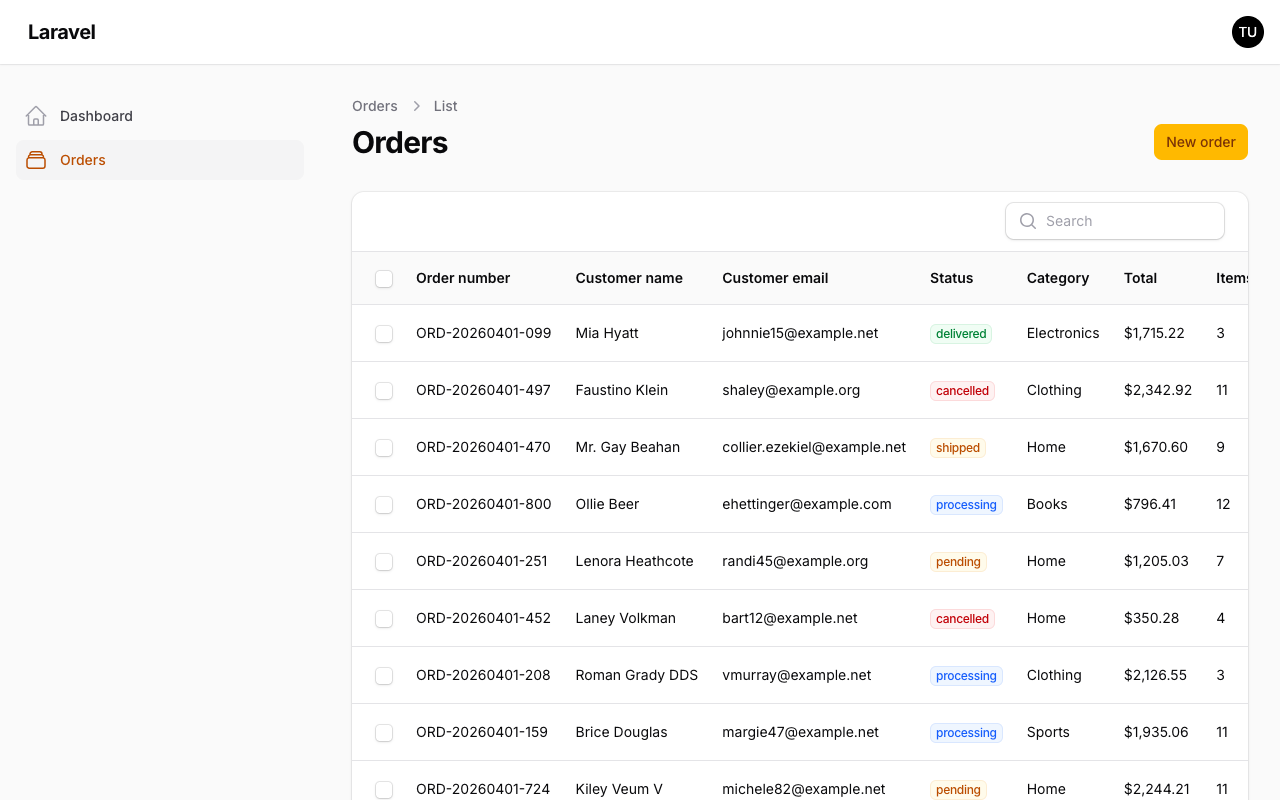
The Default
By default, Filament renders record actions in the final cell of each row. This works fine for tables with 3-4 columns. But once you have a wide table — especially with toggleable columns — the action buttons disappear off-screen.
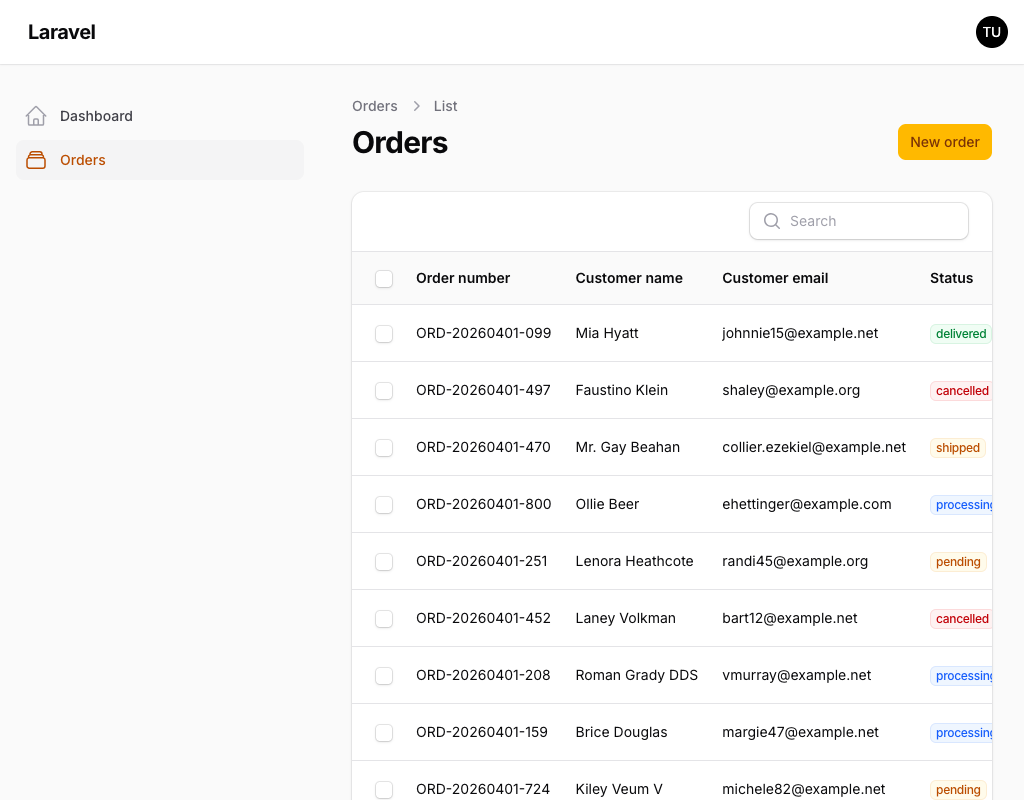
Move Actions Before Columns
Pass the position argument to recordActions():
app/Filament/Resources/Orders/Tables/OrdersTable.php
use Filament\Actions\DeleteAction;use Filament\Actions\EditAction;use Filament\Actions\ViewAction;use Filament\Tables\Enums\RecordActionsPosition;use Filament\Tables\Table; public static function configure(Table $table): Table{ return $table ->columns([ // ... your 8+ columns ]) ->recordActions([ ViewAction::make(), EditAction::make(), DeleteAction::make(), ], position: RecordActionsPosition::BeforeColumns) ->toolbarActions([ // ... ]);}Now the action buttons appear as the first visual column in every row, right after the checkbox (if bulk actions are enabled). No scrolling needed.
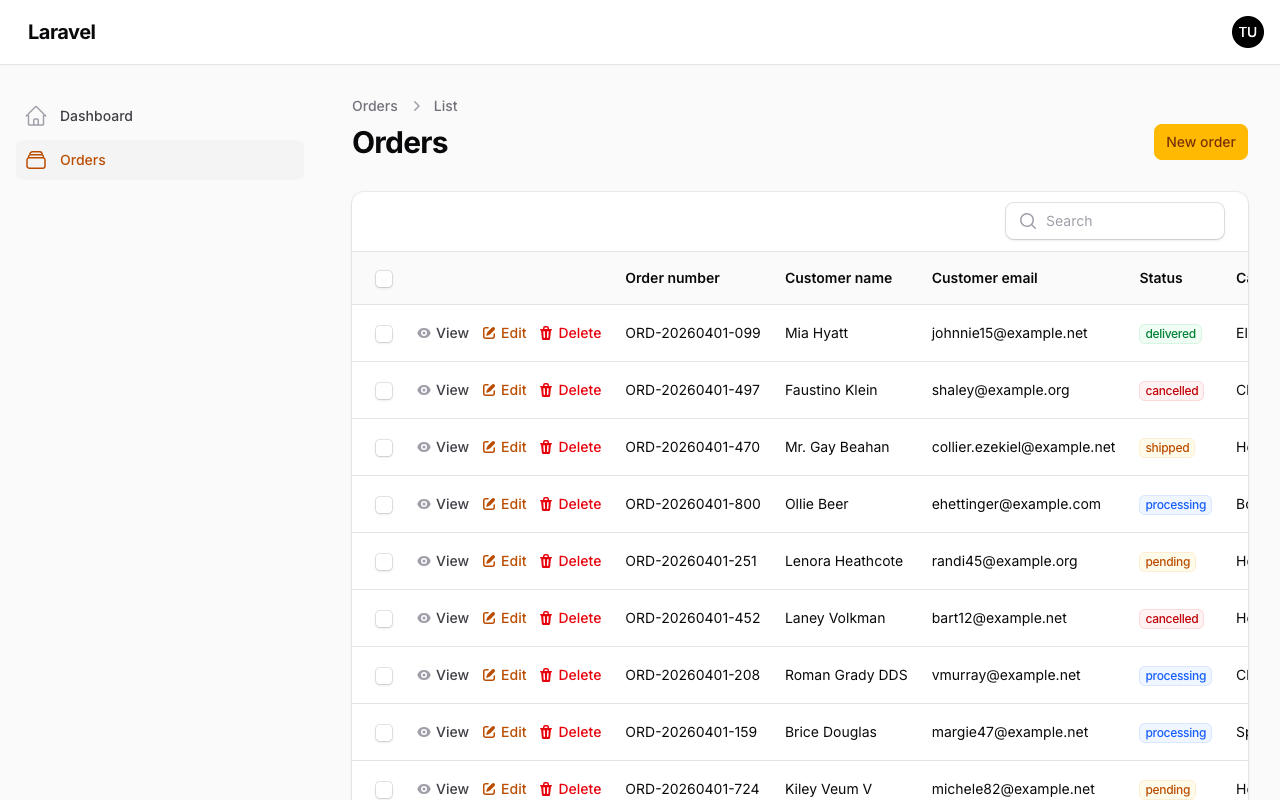
BeforeColumns vs BeforeCells
Filament actually offers two "move left" options in the RecordActionsPosition enum:
BeforeColumns— places actions after the checkbox column but before data columnsBeforeCells— places actions before everything, including the checkbox column
// Actions appear before data columns (after checkbox)RecordActionsPosition::BeforeColumns // Actions appear before the checkbox columnRecordActionsPosition::BeforeCellsIn most cases, BeforeColumns is what you want. It keeps the checkbox accessible for bulk actions while still putting edit/delete buttons within immediate reach. BeforeCells is useful if you don't have bulk actions and want the action buttons in the absolute first position.
Apply It Globally
If most of your tables are wide, you can set this once for all tables in your AppServiceProvider:
app/Providers/AppServiceProvider.php
use Filament\Tables\Enums\RecordActionsPosition;use Filament\Tables\Table; public function boot(): void{ Table::configureUsing(function (Table $table) { $table->recordActionsPosition(RecordActionsPosition::BeforeColumns); });}Every resource table in your panel will now default to left-positioned actions. Any individual table can still override this by passing a different position argument.
Small change, but on data-heavy admin panels where users spend hours in tables, it removes a constant source of friction.
A few of our Premium Examples: