Filament RichEditor: Add Custom Blocks That Editors Can Drag Into Content
2026-04-30 Filament v4/5You're building a CMS and need editors to insert structured components like callout boxes or CTA banners without writing HTML. Filament v5's RichEditor supports custom blocks that open a configuration modal on drag and render a live preview inside the editor.
Generate the Block
Run the artisan command to scaffold the block class and its two Blade views:
php artisan make:filament-rich-content-custom-block CalloutBlockThis creates:
app/Filament/Forms/Components/RichEditor/RichContentCustomBlocks/CalloutBlock.phpresources/views/filament/forms/components/rich-editor/rich-content-custom-blocks/callout/index.blade.phpresources/views/filament/forms/components/rich-editor/rich-content-custom-blocks/callout/preview.blade.php
Define the Block
Fill in the generated class. The block needs an ID, a label, a modal schema for configuration, a preview for inside the editor, and an HTML renderer for when the post is displayed.
app/Filament/Forms/Components/RichEditor/RichContentCustomBlocks/CalloutBlock.php
<?php namespace App\Filament\Forms\Components\RichEditor\RichContentCustomBlocks; use Filament\Actions\Action;use Filament\Forms\Components\RichEditor\RichContentCustomBlock;use Filament\Forms\Components\Select;use Filament\Forms\Components\Textarea; class CalloutBlock extends RichContentCustomBlock{ public static function getId(): string { return 'callout'; } public static function getLabel(): string { return 'Callout'; } public static function configureEditorAction(Action $action): Action { return $action ->modalDescription('Configure the callout block') ->schema([ Select::make('type') ->options([ 'info' => 'Info', 'warning' => 'Warning', 'tip' => 'Tip', ]) ->required(), Textarea::make('message') ->required(), ]); } public static function toPreviewHtml(array $config): string { return view('filament.forms.components.rich-editor.rich-content-custom-blocks.callout.preview', [ 'type' => $config['type'] ?? 'info', 'message' => $config['message'] ?? '', ])->render(); } public static function toHtml(array $config, array $data): string { return view('filament.forms.components.rich-editor.rich-content-custom-blocks.callout.index', [ 'type' => $config['type'] ?? 'info', 'message' => $config['message'] ?? '', ])->render(); }}Now fill in the two Blade views. The preview renders inside the editor as the user is editing. The index view renders on the public-facing page.
resources/views/filament/forms/components/rich-editor/rich-content-custom-blocks/callout/preview.blade.php
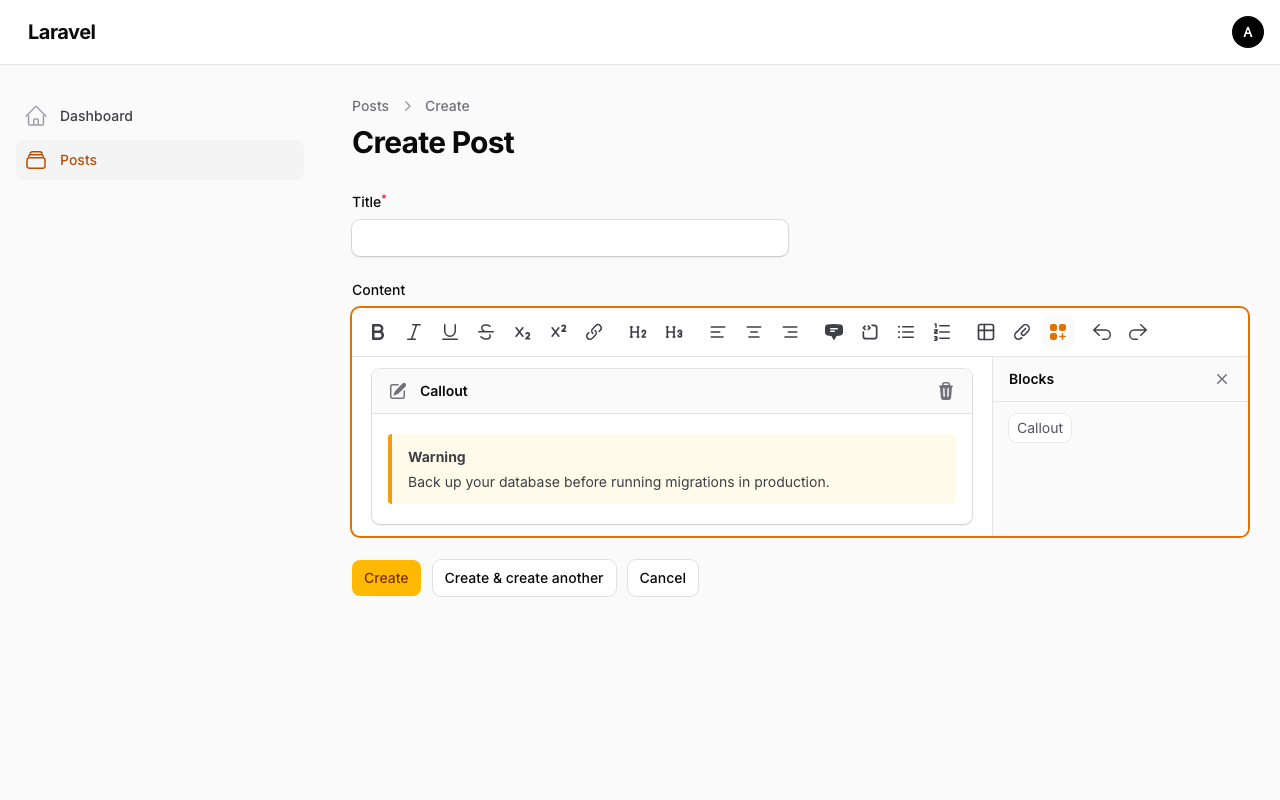
<div style="padding: 12px 16px; border-left: 4px solid {{ match($type) { 'warning' => '#f59e0b', 'tip' => '#10b981', default => '#3b82f6' } }}; background: {{ match($type) { 'warning' => '#fffbeb', 'tip' => '#ecfdf5', default => '#eff6ff' } }}; border-radius: 4px; margin: 8px 0;"> <strong style="text-transform: capitalize;">{{ $type }}</strong> <p style="margin: 4px 0 0;">{{ $message }}</p></div>resources/views/filament/forms/components/rich-editor/rich-content-custom-blocks/callout/index.blade.php
<div class="callout callout-{{ $type }}" role="note"> <strong>{{ ucfirst($type) }}</strong> <p>{{ $message }}</p></div>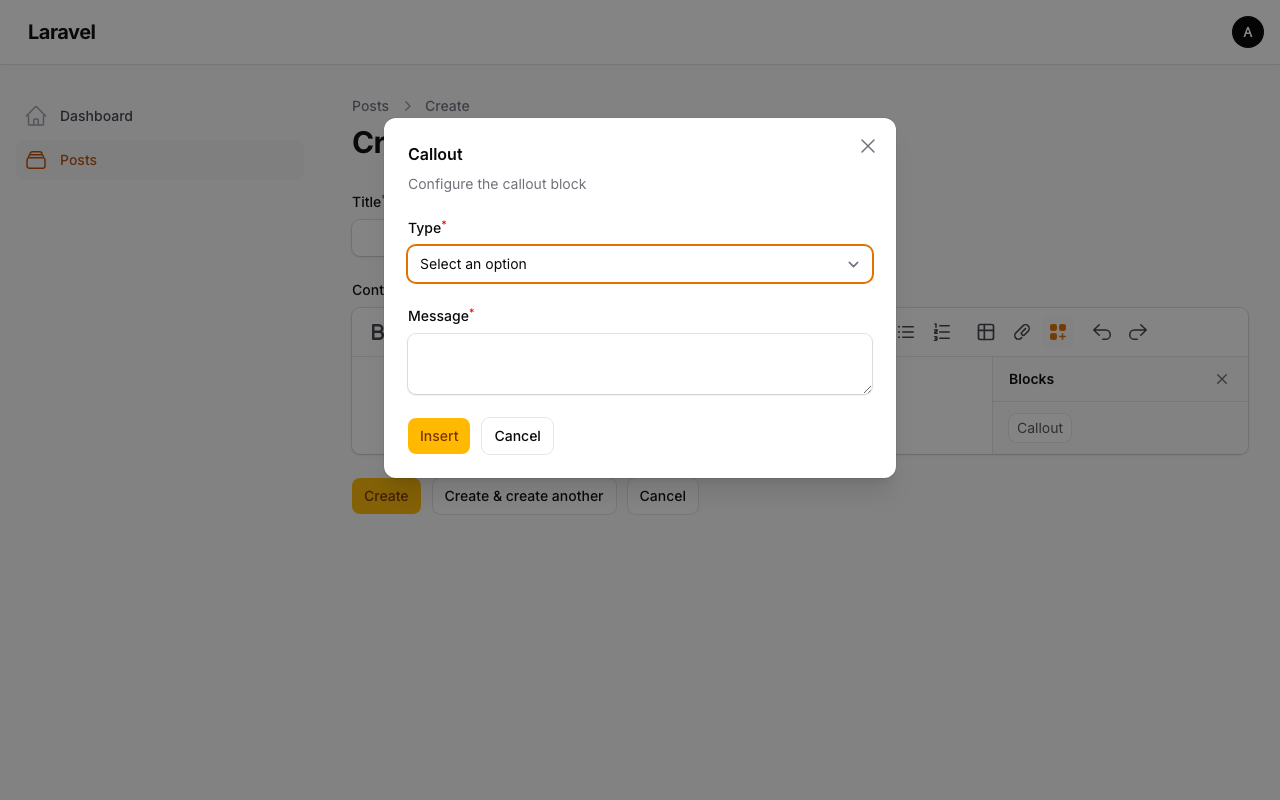
Register on the Editor
Add the block to your RichEditor field using customBlocks():
app/Filament/Resources/Posts/Schemas/PostForm.php
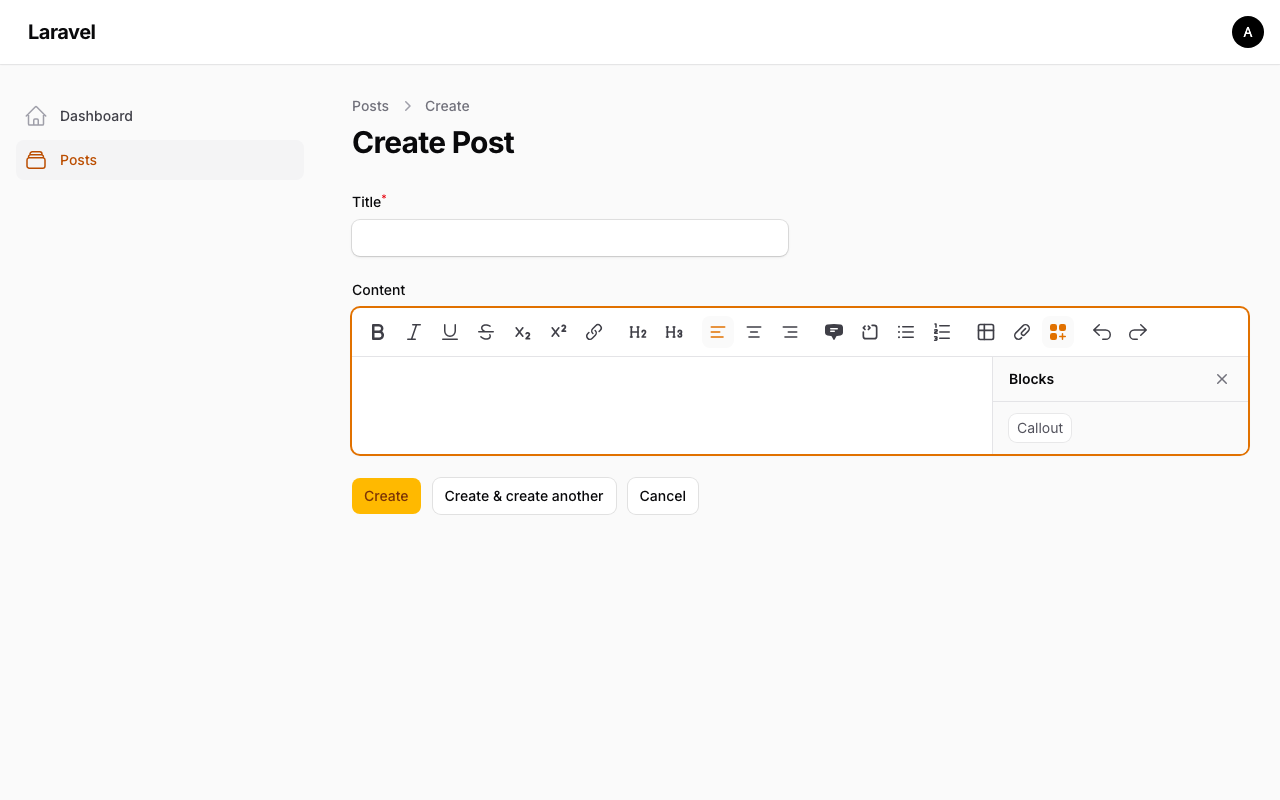
use App\Filament\Forms\Components\RichEditor\RichContentCustomBlocks\CalloutBlock;use Filament\Forms\Components\RichEditor;use Filament\Forms\Components\TextInput; TextInput::make('title') ->required(), RichEditor::make('content') ->customBlocks([ CalloutBlock::class, ]) ->columnSpanFull(),A Custom Blocks panel appears on the right side of the editor. Editors can drag a block from the panel into their content, fill the modal, and see the preview immediately.
Render the Content
Here's the part that trips people up. When you output $post->content directly in a Blade view, any blocks that were dragged in render as a raw JSON blob instead of your HTML. You must pass the content through RichContentRenderer and register the same blocks.
resources/views/posts/show.blade.php
{!! \Filament\Forms\Components\RichEditor\RichContentRenderer::make($post->content) ->customBlocks([ \App\Filament\Forms\Components\RichEditor\RichContentCustomBlocks\CalloutBlock::class, ]) ->toHtml() !!}If you forget to register the block on the renderer, the output looks like this:
{"type":"customBlock","attrs":{"id":"callout","config":"{\"type\":\"warning\",\"message\":\"Back up your database first.\"}"}}Adding the block class to customBlocks() on the renderer tells Filament how to convert that JSON node back to HTML using the toHtml() method on your block class.
How It Works
configureEditorAction()defines the modal form fields. The submitted values become the$configarray passed totoPreviewHtml()andtoHtml().toPreviewHtml()renders inside the editor so editors can see what their block looks like while writing. It receives$configbut not$datasince there's no record context yet.toHtml()receives both$config(the saved modal data) and$data(optional runtime data you can inject via the renderer). Use$datafor things like resolved URLs or computed values that depend on the record being viewed.- The
getId()string is stored in the content JSON as the block identifier. Don't change it after content has been saved, or existing blocks won't resolve.
If you have multiple block types, register all of them in the same customBlocks() array on both the editor and the renderer.
A few of our Premium Examples: