Filament: Demo Credentials on Login Page with Autofill
2026-04-12 Filament v4/5You're building a demo for your Filament app and want to show login credentials right on the login page. Maybe you have multiple roles and want visitors to pick one and log in instantly, without copy-pasting emails and passwords. This is exactly what demo.filamentphp.com does.
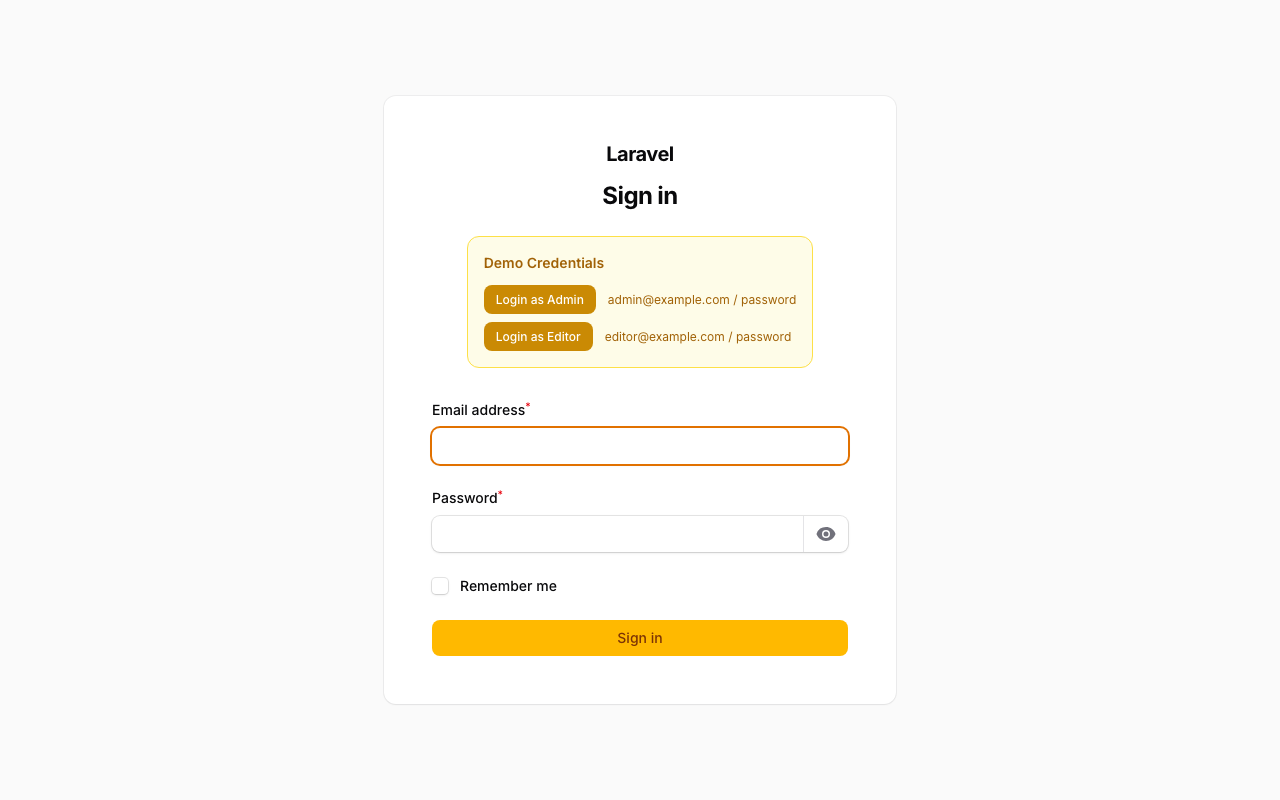
There are two parts to this: showing the credentials visually, and autofilling the form when the user clicks one. Let's cover both.
Option 1: Render Hook (Display Only)
The quickest way to show demo credentials above the login form is with a render hook. Filament has PanelsRenderHook::AUTH_LOGIN_FORM_BEFORE that injects content right before the login form.
app/Providers/Filament/AdminPanelProvider.php
use Filament\View\PanelsRenderHook; use Illuminate\Contracts\View\View; return $panel ->default() ->id('admin') ->path('admin') ->login() ->renderHook( PanelsRenderHook::AUTH_LOGIN_FORM_BEFORE, fn (): View => view('filament.login-credentials'), ) Then create the Blade view:
resources/views/filament/login-credentials.blade.php
<div class="rounded-lg bg-warning-50 p-4 text-sm dark:bg-warning-950"> <p class="font-semibold text-warning-700 dark:text-warning-400">Demo Credentials</p> <div class="mt-2 space-y-1 text-warning-600 dark:text-warning-300"> </div></div>This works fine as a static notice. But users still have to type or copy-paste the credentials. For a proper demo experience, you want one-click autofill.
Option 2: Custom Login Page (Autofill on Click)
This is what the official Filament demo does. You extend the built-in Login page and add buttons that fill the form with credentials.
Create a custom Login page:
app/Filament/Pages/Auth/Login.php
<?php namespace App\Filament\Pages\Auth; use Filament\Auth\Pages\Login as BaseLogin; class Login extends BaseLogin{ public function mount(): void { parent::mount(); $this->form->fill([ 'password' => 'password', 'remember' => true, ]); }}Register it in the panel:
app/Providers/Filament/AdminPanelProvider.php
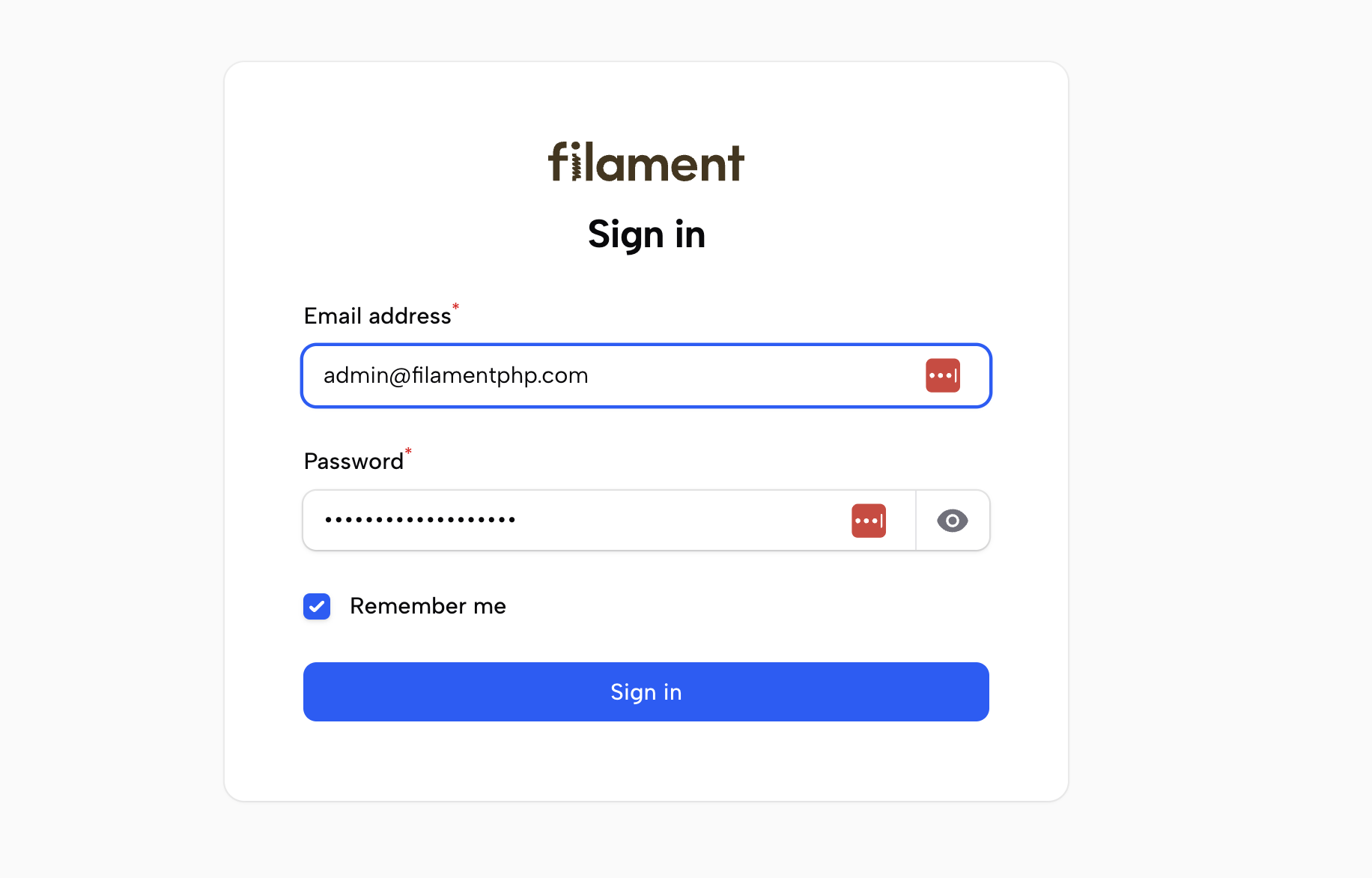
use App\Filament\Pages\Auth\Login; return $panel ->default() ->id('admin') ->path('admin') ->login() ->login(Login::class) This pre-fills the form with admin credentials on page load, just like demo.filamentphp.com does:
But if you have multiple roles, you want the user to choose.
Combining Both: Role Selector with Autofill
The best approach combines the render hook banner with a custom Login page. Since the render hook's Blade view is rendered inside the Login Livewire component, you can use wire:click to call methods on it directly.
app/Filament/Pages/Auth/Login.php
<?php namespace App\Filament\Pages\Auth; use Filament\Auth\Pages\Login as BaseLogin; class Login extends BaseLogin{ public function fillCredentials(string $email, string $password): void { $this->form->fill([ 'email' => $email, 'password' => $password, 'remember' => true, ]); }}resources/views/filament/login-credentials.blade.php
<div class="rounded-lg bg-warning-50 p-4 text-sm dark:bg-warning-950"> <p class="font-semibold text-warning-700 dark:text-warning-400">Demo Credentials</p> <div class="mt-3 space-y-2"> <div class="flex items-center gap-3"> <button type="button" class="rounded-lg bg-warning-600 px-3 py-1.5 text-xs font-medium text-white hover:bg-warning-500" > Login as Admin </button> <span class="text-xs text-warning-700 dark:text-warning-300"> [email protected] / password </span> </div> <div class="flex items-center gap-3"> <button type="button" class="rounded-lg bg-warning-600 px-3 py-1.5 text-xs font-medium text-white hover:bg-warning-500" > Login as Editor </button> <span class="text-xs text-warning-700 dark:text-warning-300"> [email protected] / password </span> </div> </div></div>
The render hook's Blade view is rendered inside the Login Livewire component, so wire:click calls the fillCredentials() method directly. No extra JavaScript needed.
How It Works
- The render hook injects the credential buttons above the login form
- Each button calls
fillCredentials()on the Login Livewire component viawire:click - The method calls
$this->form->fill()which populates the email, password, and remember fields - The user can then just click Sign in
Register both the custom Login page and the render hook in the panel provider to get the full experience. If you only need a simple banner without autofill, the render hook alone is enough.
A few of our Premium Examples: