
Table with Reorderable Positions
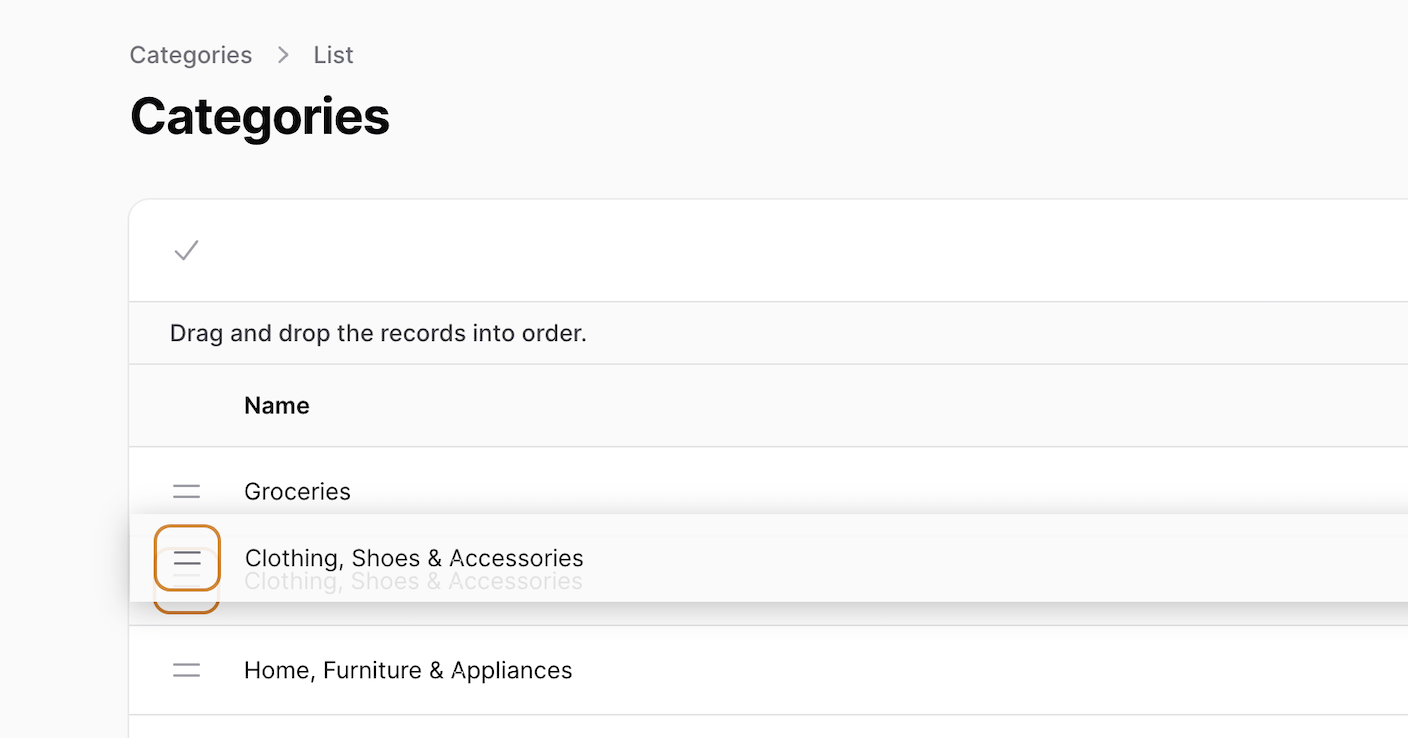
Filament 3Demonstrates how to reorder positions with drag'n'drop, also handling the situations of auto-assigning the new position to a new record and auto-reorder when any record is deleted.
Get the Source Code:
Only This Example
One-time payment
 Sign in with GitHub to buy
Sign in first, then complete your $9 checkout.
FilamentExamples Membership
30-day money-back guarantee
How it works
Categories
The main ordering functionality is defined in table method using defaultSort and reordable functions with an argument of column name to order by.
->defaultSort('position')->reorderable('position')app/Filament/Resources/CategoryResource.php
namespace App\Filament\Resources; use App\Filament\Resources\CategoryResource\Pages;use App\Filament\Resources\CategoryResource\RelationManagers;use App\Models\Category;use Filament\Forms;use Filament\Forms\Components\TextInput;use Filament\Forms\Form;use Filament\Resources\Resource;use Filament\Tables;use Filament\Tables\Columns\TextColumn;use Filament\Tables\Table;use Illuminate\Database\Eloquent\Builder;use Illuminate\Database\Eloquent\SoftDeletingScope; class CategoryResource extends Resource{ protected static ?string $model = Category::class; protected static ?string $navigationIcon = 'heroicon-o-rectangle-stack'; public static function form(Form $form): Form { return $form ->schema([ TextInput::make('name') ->required(), ]); } public static function table(Table $table): Table { return $table ->columns([ TextColumn::make('name'), ]) ->filters([ // ]) ->actions([ Tables\Actions\EditAction::make(), ]) ->bulkActions([ Tables\Actions\BulkActionGroup::make([ Tables\Actions\DeleteBulkAction::make(), ]), ]) ->defaultSort('position') ->reorderable('position'); } public static function getRelations(): array { return [ // ]; } public static function getPages(): array { return [ 'index' => Pages\ListCategories::route('/'), 'create' => Pages\CreateCategory::route('/create'), 'edit' => Pages\EditCategory::route('/{record}/edit'), ]; }}Usually position of the categories is saved after you reorder them in the table. By default this value is null.
To have position value assigned when creating a new category we have observer with creating listener. It gets maximum value of the position column on the table and...