
Segmented Button Filter for Chart Widgets
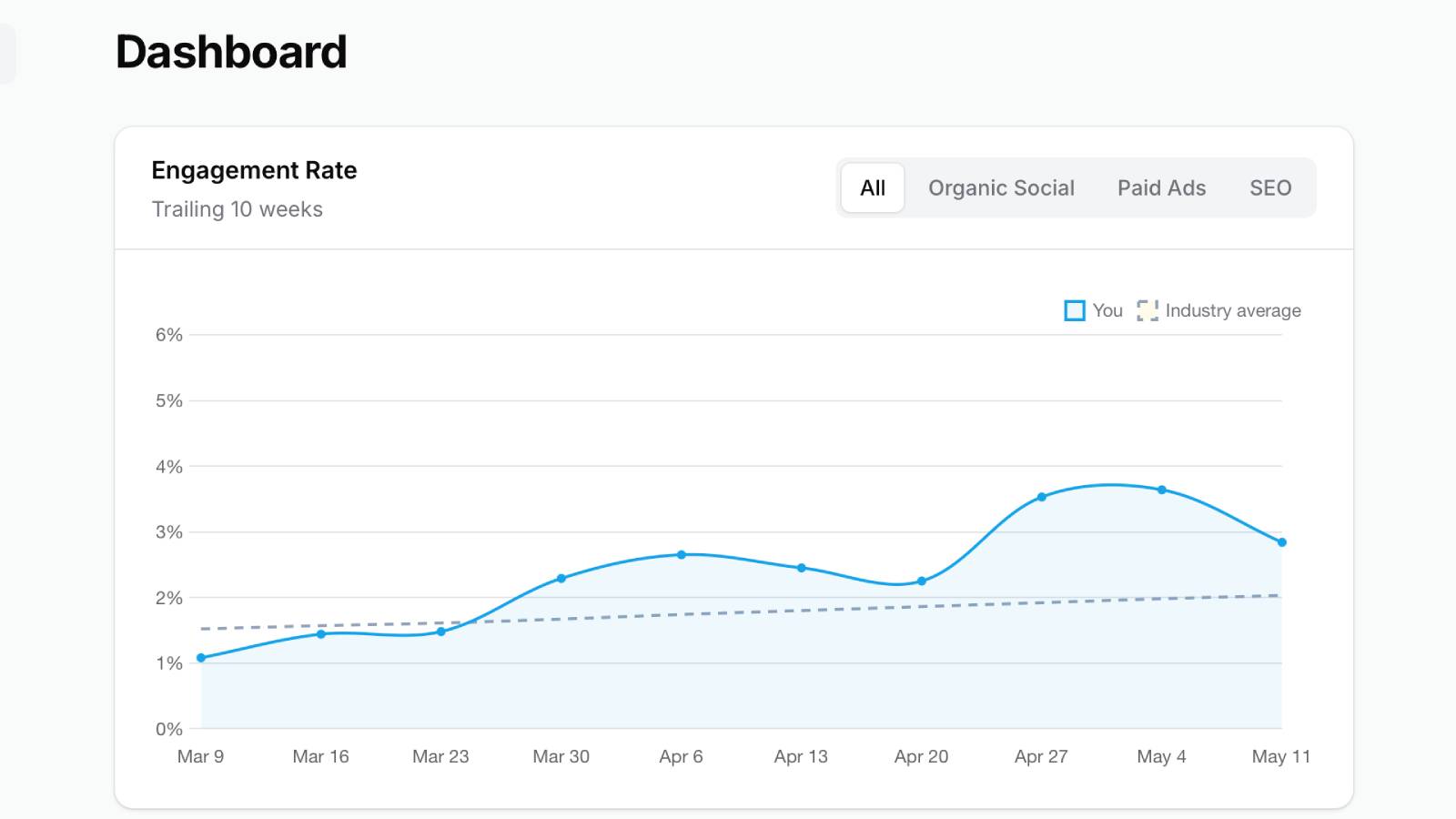
Filament 4/5Swap Filament's default chart widget dropdown for a segmented pill-style filter — driven by a single $view override and Livewire's built-in wire:click="$set('filter', ...)" magic, with no JavaScript or extra component class.
Get the Source Code:
Only This Example
One-time payment
 Sign in with GitHub to buy
Sign in first, then complete your $9 checkout.
FilamentExamples Membership
30-day money-back guarantee
How it works
This project demonstrates how to replace a Filament chart widget's default dropdown filter with a segmented button group rendered directly inside the widget header. The widget itself stays a standard ChartWidget — only the Blade view is swapped, so getFilters(), the $filter property, sorting, polling, and Chart.js options all keep working exactly as Filament intends.
The key idea: Filament already wires the $filter property to a Livewire-reactive update path. Once you override the chart widget's view, rendering a <button wire:click="$set('filter', ...)"> per filter option is enough to turn that dropdown into a pill toggle — no new component class, no Alpine, no JavaScript.
The repository contains the complete Laravel + Filament project to demonstrate the functionality, including migrations and seeded weekly performance data.
How to install
- Clone the repository with
git clone - Copy the
.env.examplefile to.envand edit database credentials there - Run
composer install - Run
php artisan key:generate - Run
php artisan storage:link - Run
php artisan migrate --seed(it has some seeded data for your testing) - Run
npm ciandnpm run build - That's it: launch the
/adminand log in with credentials[email protected]andpasswordto manage companies.
Screenshots
How It Works
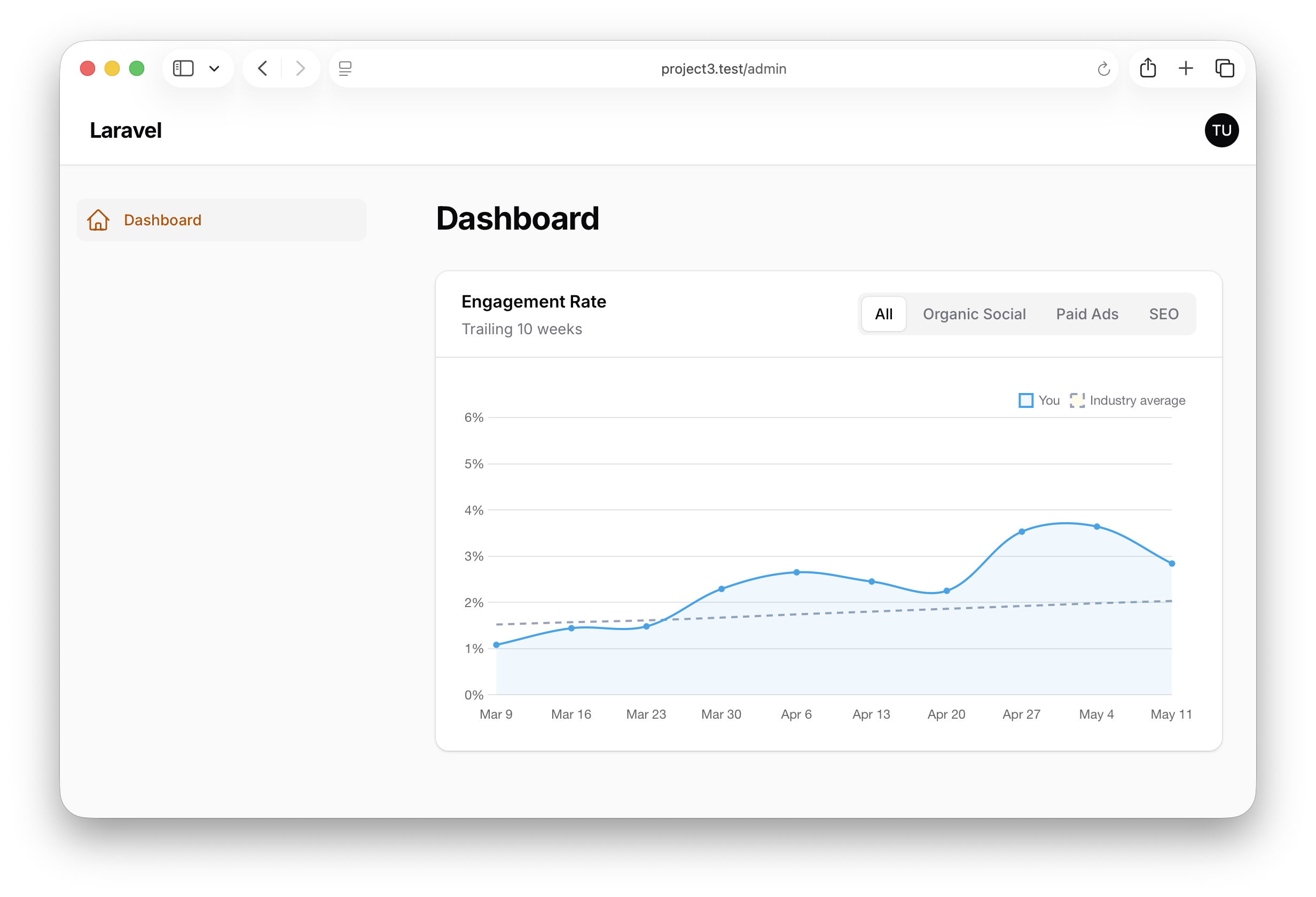
The project has a single chart widget that reports the weekly engagement rate against an industry average. The filter chooses which traffic source to slice on — All, Organic Social, Paid Ads, or SEO — and the chart re-renders through Livewire on every click. The interesting part is that none of the chart logic changes when going from dropdown to buttons.
1. The Widget — Standard ChartWidget with a custom view
The widget is a plain ChartWidget. The only line that opts it out of Filament's default filter UI is the $view override pointing at a custom Blade file.
app/Filament/Widgets/EngagementRateChart.php
class EngagementRateChart extends ChartWidget{ public ?string $filter = 'all'; protected ?string $heading = 'Engagement Rate'; protected ?string $description = 'Trailing 10 weeks'; protected string $view = 'filament.widgets.engagement-rate-chart'; protected function getFilters(): ?array { return [ 'all' => 'All', TrafficSource::OrganicSocial->value => TrafficSource::OrganicSocial->label(), TrafficSource::PaidAds->value => TrafficSource::PaidAds->label(), TrafficSource::Seo->value => TrafficSource::Seo->label(), ]; } protected function getData(): array { $series = PerformanceMetric::weeklyTotals($this->selectedTrafficSource()); return [ 'datasets' => [/* ... You / Industry average ... */], 'labels' => $series ->map(fn (object $week): string => $week->week_start_date->format('M j')) ->all(), ]; } private function selectedTrafficSource(): ?TrafficSource { return TrafficSource::tryFrom($this->filter ?? ''); }}The key points:
public ?string $filter = 'all';is the same property Filament's default dropdown writes to — the custom buttons reuse it viawire:click="$set('filter', ...)", so swapping UIs requires zero changes to the data layergetFilters()returns anoption_value => labelmap exactly as it would for the default dropdown — the array shape is the contract between widget and view, not between widget and dropdownprotected string $view = 'filament.widgets.engagement-rate-chart';is the entire opt-in to the custom UI; without it, Filament renders its built-in chart widget view and ignores the Blade file inresources/viewsselectedTrafficSource()usesTrafficSource::tryFrom()so the literal string'all'resolves tonull, which theforTrafficSource()scope on the model interprets as "no filter" — one helper handles both the enum cases and the catch-all bucket without anif/elsechain