React and JavaScript Components in Filament 5.11+
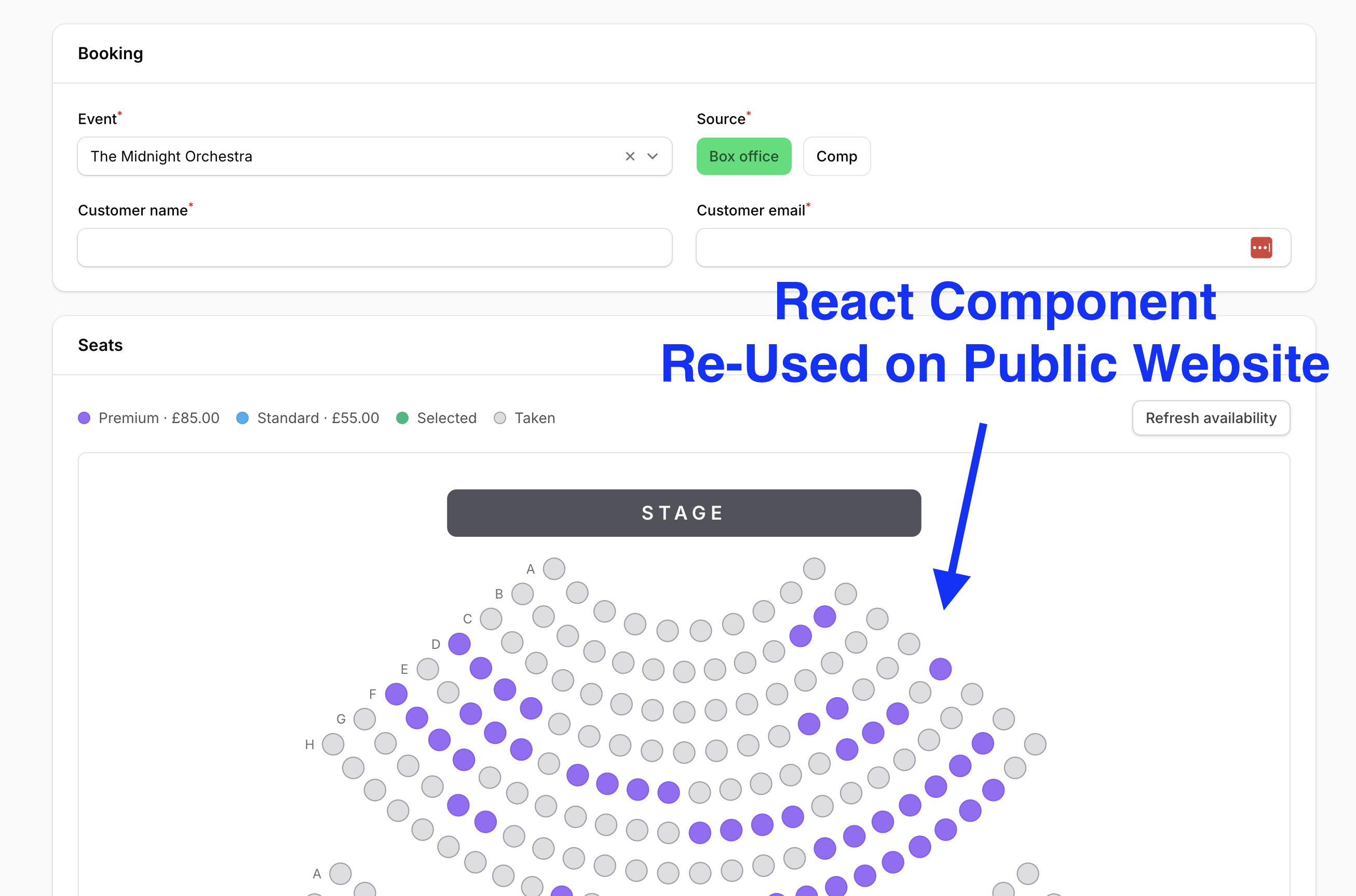
Filament 4/5Demo of the JS rendering capability added in Filament 5.11: a form field, a schema component, and a dashboard widget - all three are the same React components that the customer-facing Inertia site uses.
Get the Source Code:
Only This Example
One-time payment
 Sign in with GitHub to buy
Sign in first, then complete your $9 checkout.
FilamentExamples Membership
30-day money-back guarantee
How it works
This project demonstrates the JavaScript rendering capability added in Filament 5.11: a form field, a schema component, and a dashboard widget can now be rendered by your own JavaScript instead of Blade. In this demo, all three are rendered by the same React components that the customer-facing Inertia site uses.
Why This Matters
Many Laravel projects have two frontends: a public site built with React/Vue (often via Inertia) and a Filament admin panel for staff. Until now, an interactive UI piece like a seat map, a product configurator, or a custom chart had to be built twice: once in React for customers and once in Blade/Alpine for the admin. The two versions slowly drift apart in look and behavior.
Filament 5.11 removes that duplication. Filament gives your JavaScript a DOM node and some props, and your code mounts whatever it wants there. So the admin panel can import the exact React component the public site uses. Not a copy, not a port: the same file.
The Demo: A Theatre Ticketing System
To show this with a realistic example, the project is a small ticketing app:
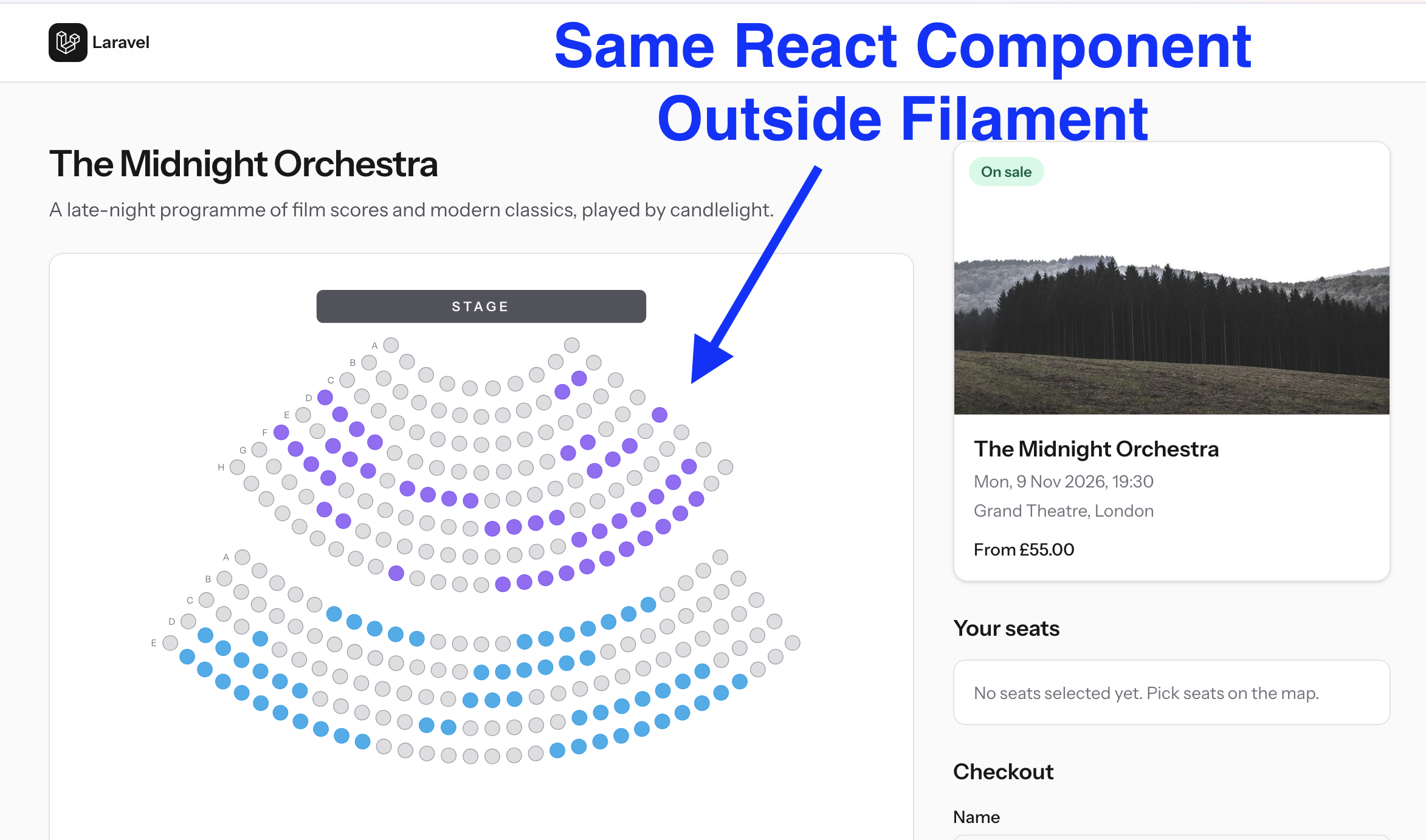
- The public site (Inertia + React) lists events that are on sale. Customers open an event, pick seats on an interactive SVG seat map, and check out.
- The Filament admin panel is for box-office staff. They sell tickets over the phone, manage events, and monitor sales.
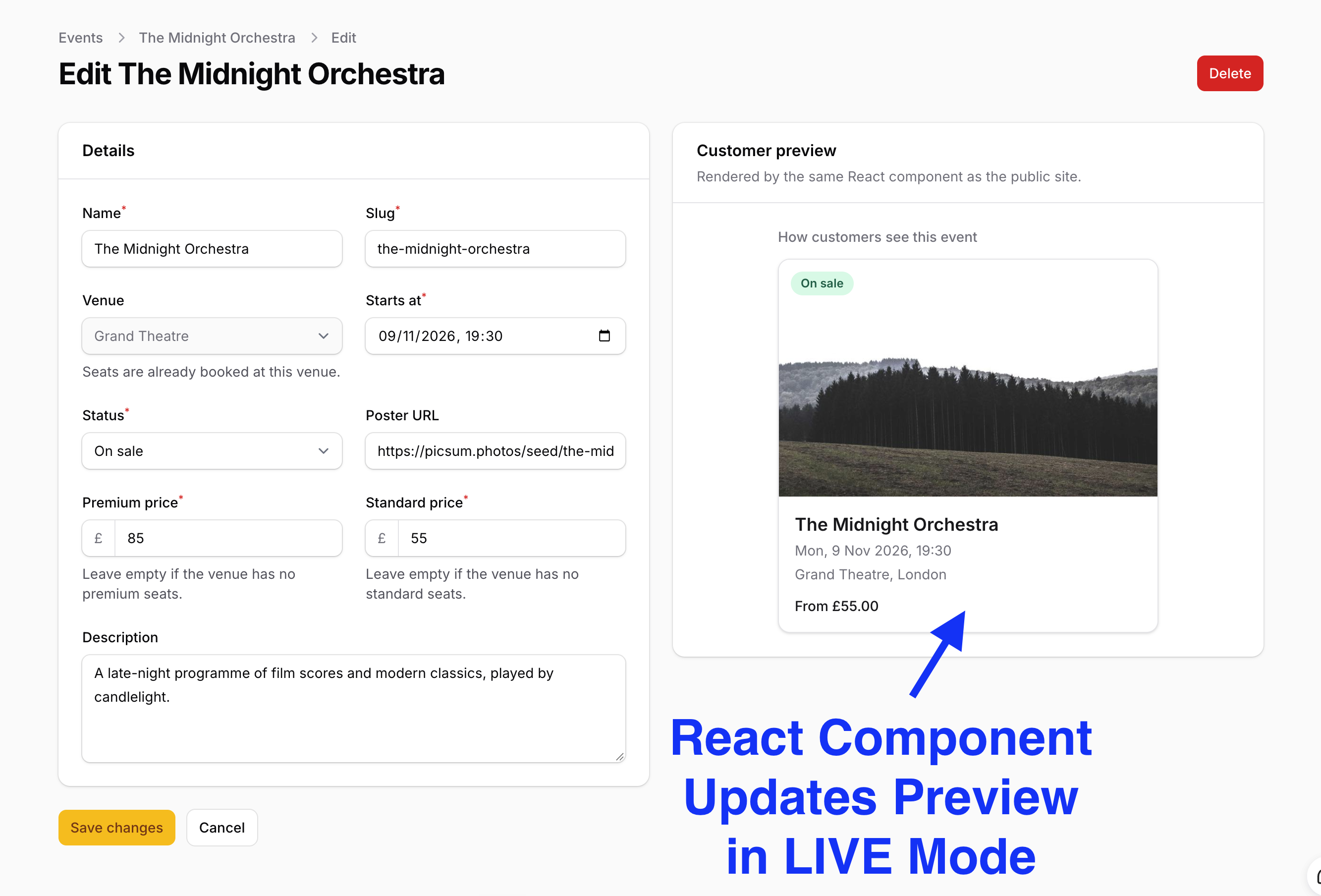
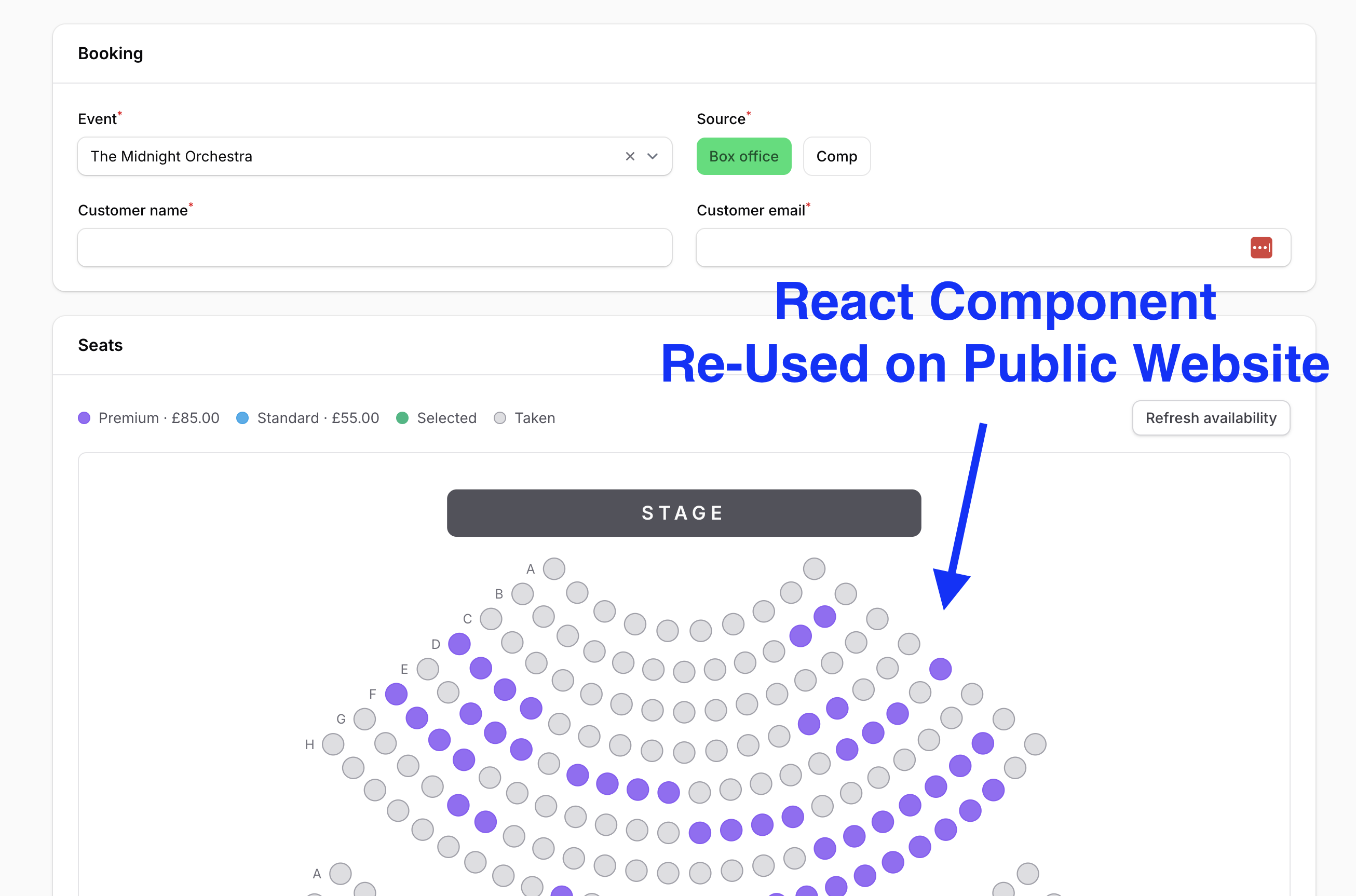
One SeatMap React component, with three modes (select, readonly, heatmap), and an EventCard component are shared by both apps. Inside Filament, they power:
- A custom JS form field
SeatPicker: staff pick seats in the booking form with the same seat map customers use - A custom JS schema component
EventCardPreview: while editing an event, staff see a live preview of the exact card customers will see on the home page - A custom JS dashboard widget
SeatOccupancy: a seat heatmap showing which seats were sold online, at the box office, or as complimentary tickets
These three features were introduced in Filament 5.11 by these Pull Requests:
- JS-rendered form fields (
HasJsRendereron aField) — #20494 - JS-rendered schema components (
HasJsRendereron aComponent) — #20550 - JS-rendered widgets (
HasJsRendereron aWidget) — #20548
The repository contains the complete Laravel + Filament + Inertia project, including seeded venues, events, and bookings, and tests for the field, the widget, the public checkout, and the booking logic.
The Filament project is in the app/Filament folder, the Filament JS renderers are in resources/js/filament, and the shared React components are in resources/js/components/ticketing.
Feel free to pick the parts that you actually need in your projects.
How to install
- Clone the repository with
git clone - Copy the
.env.examplefile to.envand edit database credentials there (the default is SQLite) - Run
composer install - Run
php artisan key:generate - Run
php artisan storage:link - Run
php artisan migrate --seed - Run
npm installandnpm run build(the Filament renderers are Vite entries, so the assets must be built) - That's it: the public site is at
/, and the admin panel is at/adminwith credentials[email protected]andpassword
Screenshots
How It Works
Every JS-rendered piece in this project follows the same contract:
- On the PHP side, the Filament class uses the
HasJsRenderertrait, returns the URL of a JS module fromgetRenderer(), and returns the data that JS needs fromgetRendererConfiguration() - On the JS side, the module's default export receives
{ host, props, utilities }, mounts React intohost, and returns{ update, destroy } - Filament never touches React. When PHP sends new configuration, Filament...