
Quote Form with Custom Table Field and Product Picker Modal
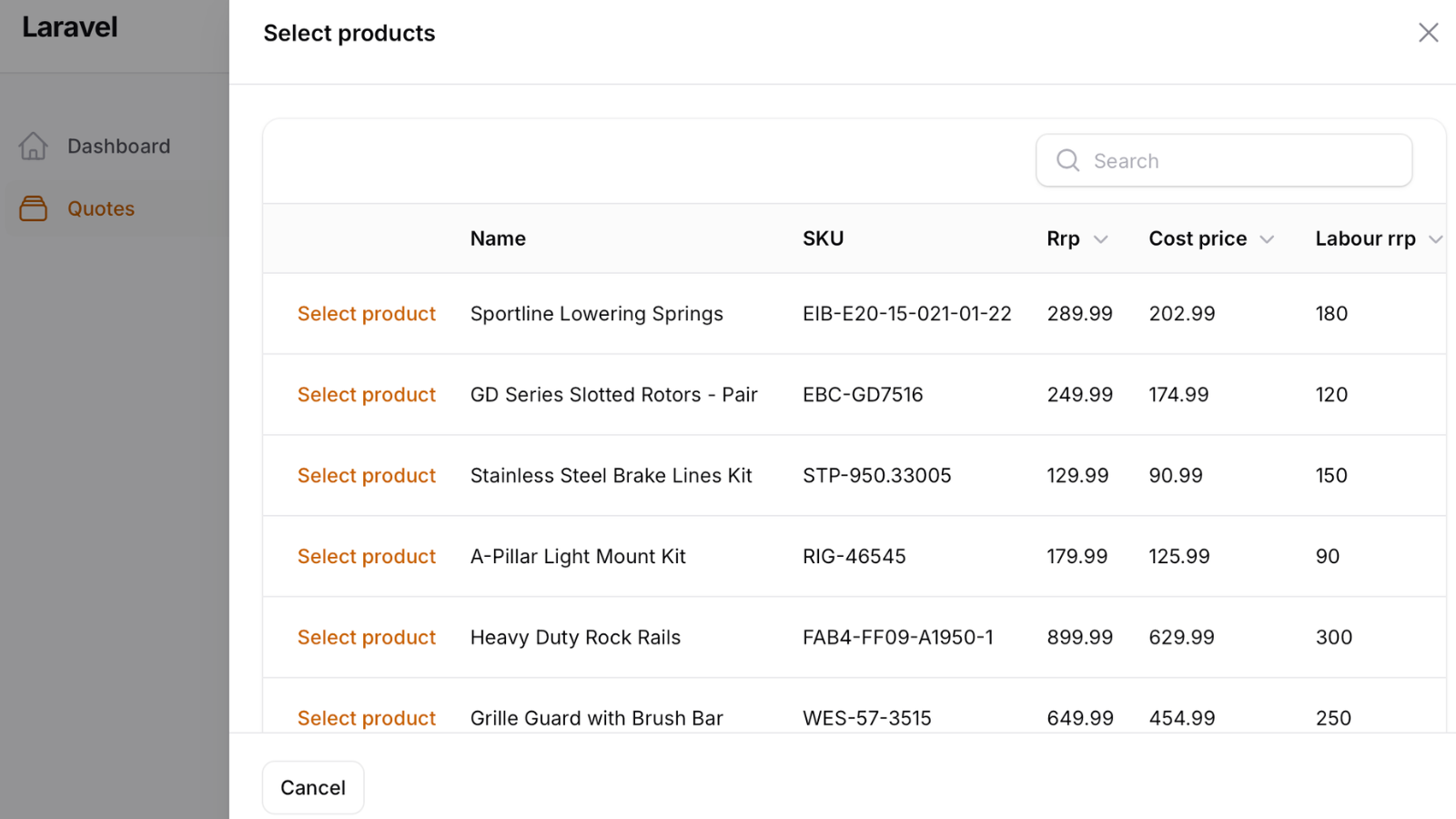
Filament 4/5This project demonstrates how to build a quote management form with two advanced Filament techniques: a custom form field that embeds a Filament Table for managing quote line items, and a slide-over modal with a full product picker table filtered by vehicle compatibility. The quote form features cascading Year/Make/Model selects, and the product picker lets users browse a searchable, paginated catalog and set quantities before adding items to the quote.
Get the Source Code:
Only This Example
One-time payment
 Sign in with GitHub to buy
Sign in first, then complete your $9 checkout.
FilamentExamples Membership
30-day money-back guarantee
How it works
This project consists of several components that work together: a custom form field, two Livewire components, a reusable table configuration, and a Blade view that ties everything together.
1. QuoteProductsField — Custom Form Field
The core of this project is a custom Filament Field that manages quote line items as an array state instead of using a Repeater. It handles its own relationship loading and saving.
app/Filament/Forms/Components/QuoteProductsField.php
class QuoteProductsField extends Field{ protected string $view = 'filament.forms.components.quote-products-field'; protected ?Closure $vehicleDataCallback = null; protected function setUp(): void { parent::setUp(); $this->default([]); $this->afterStateHydrated(static function (QuoteProductsField $component, $state): void { $component->state($state ?? []); }); $this->dehydrated(); $this->loadStateFromRelationshipsUsing(static function (QuoteProductsField $component): void { /** @var Quote $record */ $record = $component->getRecord(); $items = $record->items()->with('product')->get()->map(fn (QuoteItem $item) => [ 'id' => $item->product_id, 'name' => $item->product->name, 'quantity' => $item->quantity, ])->all(); $component->state($items); }); $this->saveRelationshipsUsing(static function (QuoteProductsField $component, ?array $state): void { /** @var Quote $record */ $record = $component->getRecord(); $state = $state ?? []; $record->items()->delete(); if (empty($state)) { return; } $products = Product::whereIn('id', Arr::pluck($state, 'id'))->get(); $record->items()->createMany($products->map(function (Product $product) use ($state) { $item = Arr::first($state, fn (array $item) => $item['id'] === $product->id); $quantity = $item['quantity']; return [ 'product_id' => $product->id, 'unit_price' => $product->rrp, 'quantity' => $quantity, 'unit_cost' => $product->cost_price, 'labour_time_hours' => $product->installation_time_hours, 'labour_cost' => $product->labour_cost * $quantity, 'line_total_cost' => $product->installation_time_hours * $product->labour_cost * $quantity, ]; })); }); } public function vehicleData(?Closure $callback): static { $this->vehicleDataCallback = $callback; return $this; } public function getVehicleData(): array { return $this->evaluate($this->vehicleDataCallback) ?? []; }}The key points:
- The field's internal state is a flat array of
[id, name, quantity]items — not Eloquent models loadStateFromRelationshipsUsinghydrates the state from theQuote->items()relationship when editingsaveRelationshipsUsinguses a delete-then-recreate strategy: it deletes all existing items and batch-inserts new ones with pricing data copied from theProductmodel at save timevehicleData()accepts aClosurethat reads the current vehicle selection from the parent form viaGet $get, evaluated lazily at render time