GitHub-style User Profile with Activity Heatmap
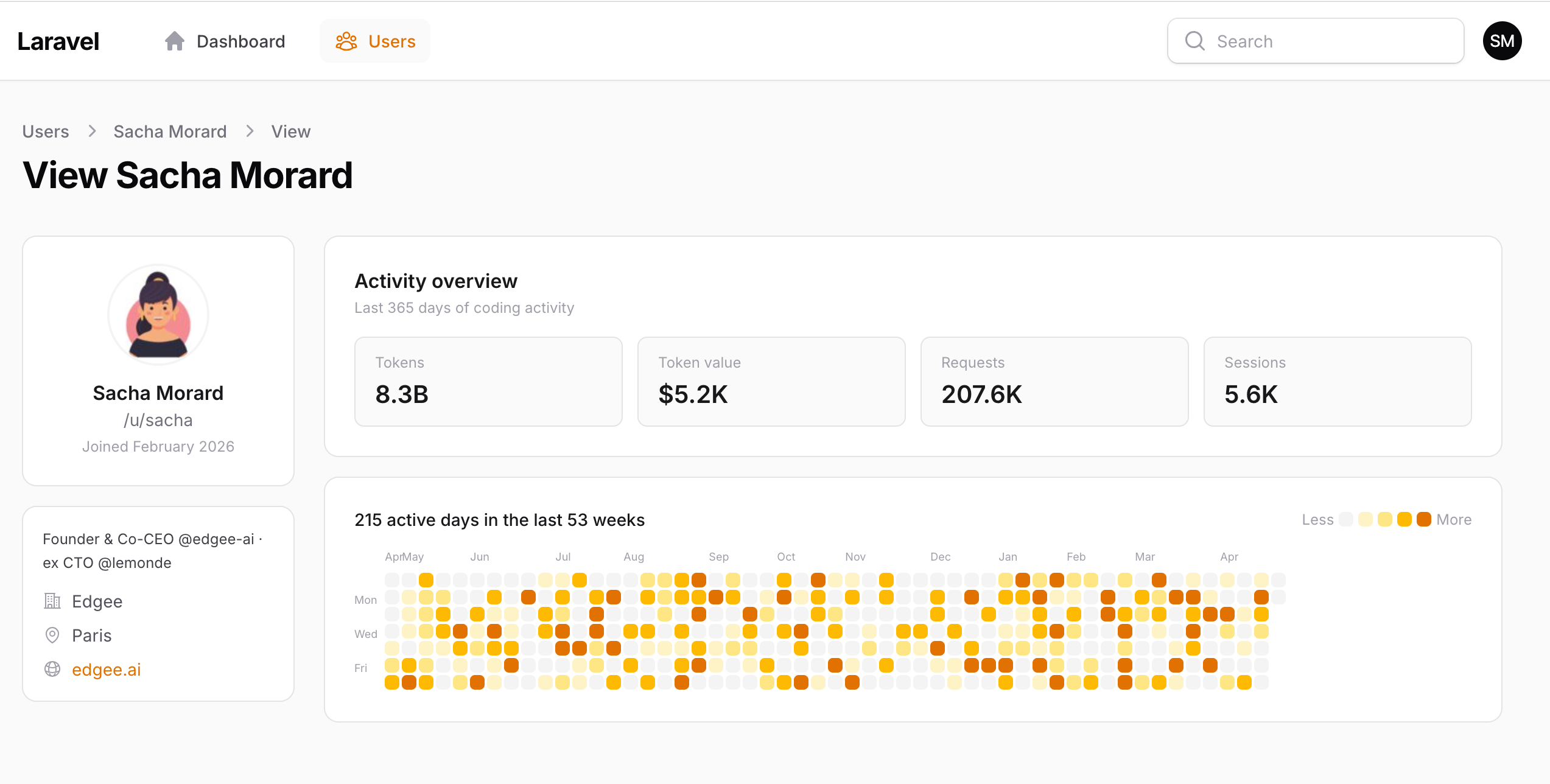
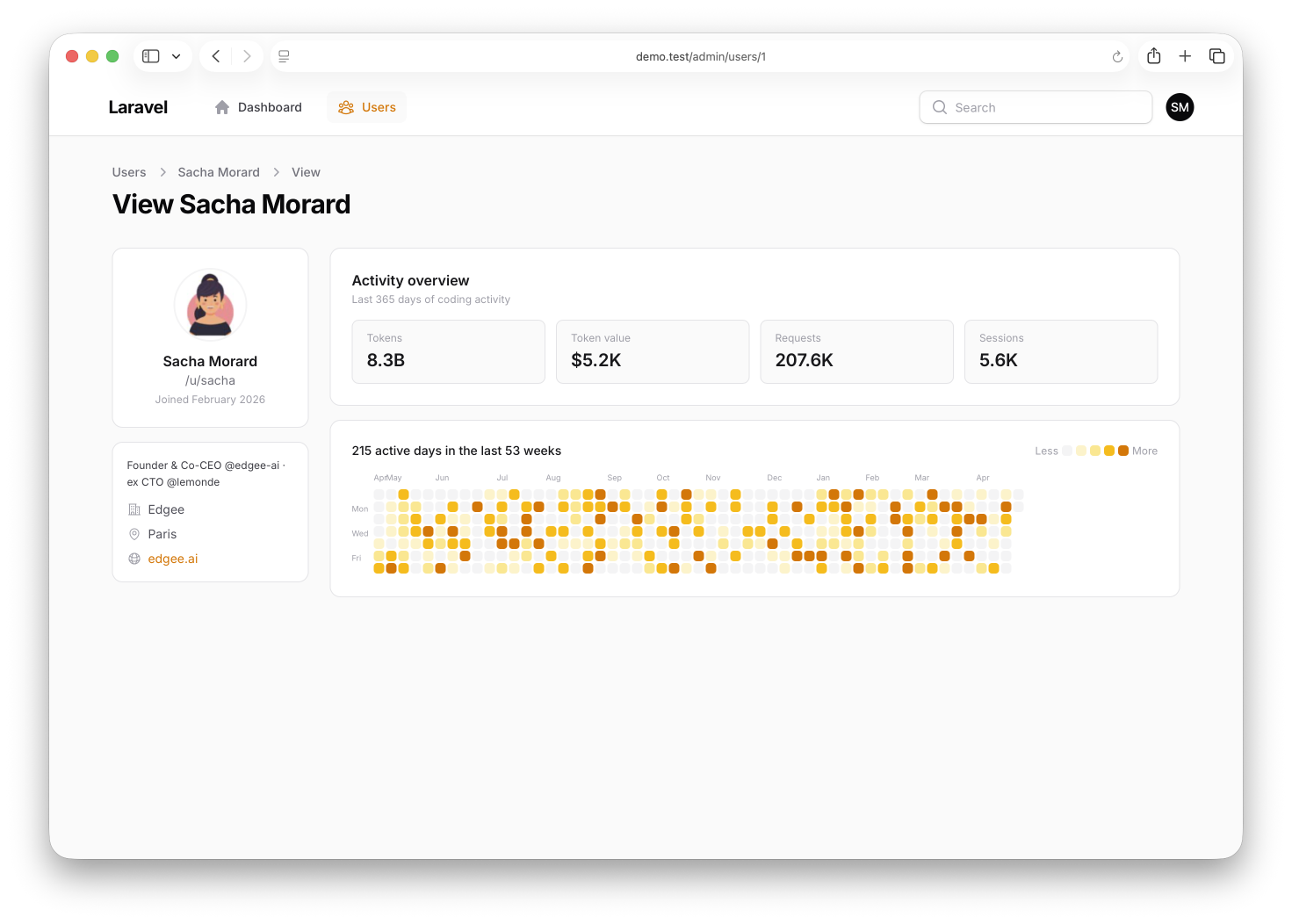
Filament 4/5This project replaces a Filament ViewRecord page with a custom Blade view featuring a GitHub-style profile sidebar and 53-week activity heatmap.
Get the Source Code:
Only This Example
One-time payment
 Sign in with GitHub to buy
Sign in first, then complete your $9 checkout.
FilamentExamples Membership
30-day money-back guarantee
How it works
This project demonstrates how to replace a Filament resource's ViewRecord page with a fully custom Blade view — a GitHub-style profile sidebar paired with a 53-week activity heatmap. The whole thing is rendered inside a top-navigation panel whose topbar is constrained to the same max-w-7xl width as the page body, so the logo, nav links, and content column all line up on a single vertical edge.
The repository contains the complete Laravel + Filament project to demonstrate the functionality, including migrations/seeds for the demo data.
The Filament project is in the app/Filament folder.
Feel free to pick the parts that you actually need in your projects.
How to install
- Clone the repository with
git clone - Copy the
.env.examplefile to.envand edit database credentials there - Run
composer install - Run
php artisan key:generate - Run
php artisan storage:link - Run
php artisan migrate:fresh --seed(it has some seeded data for your testing) - Run
npm install&&npm run build - That's it: launch the URL
/adminand log in with credentials[email protected]andpassword
Screenshot
How It Works
1. AdminPanelProvider — topNavigation() and a custom theme
Two method calls in the panel provider drive the entire layout chrome: one switches the panel from the default sidebar to a horizontal topbar, and the other tells Filament to load our scoped CSS file alongside its own theme.
app/Providers/Filament/AdminPanelProvider.php
return $panel ->default() ->id('admin') ->path('admin') ->viteTheme('resources/css/filament/admin/theme.css') ->login() ->colors([ 'primary' => Color::Amber, ]) ->topNavigation() ->discoverResources(in: app_path('Filament/Resources'), for: 'App\Filament\Resources') // ...The key points:
->topNavigation()is the entire layout switch — calling it once moves the resource navigation from the left sidebar into a horizontal bar across the top of every page, which is what makes themax-w-7xlconstraint in the next step interesting (a sidebar layout has nothing to constrain)->viteTheme('resources/css/filament/admin/theme.css')is what makes the CSS file in the next step actually load — without this call, dropping rules intotheme.csswould have no effect; Filament wouldn't include the file in the panel's compiled assets'primary' => Color::Amberis the single line that drives the heatmap's intensity ramp — thebg-primary-100/bg-primary-400/bg-primary-600classes used ingetHeatmapData()resolve against this palette, so swapping it toColor::Greenrecolors the whole heatmap with no other changes- The login page, resource discovery, and middleware stack are all stock Filament defaults — none of them needed adjusting for this demo, which keeps the diff against a fresh
php artisan filament:installminimal
2. theme.css — Constraining the topbar to the content width
Filament's default top navigation stretches the entire topbar (background, ring, and contents) edge-to-edge across the viewport. The page body underneath, though, is centered and capped at max-w-7xl. The result by default is a misalignment: the logo sits flush left while the page body sits two centimeters in. The fix is two CSS rules.
resources/css/filament/admin/theme.css
@import '../../../../vendor/filament/filament/resources/css/theme.css'; @source '../../../../app/Filament/**/*';@source '../../../../resources/views/filament/**/*'; /* Constrain top navigation content to match the main content width */.fi-topbar-ctn { @apply bg-white shadow-xs ring-1 ring-gray-950/5 dark:bg-gray-900 dark:ring-white/10;} .fi-topbar { @apply max-w-7xl mx-auto w-full shadow-none ring-0 bg-transparent dark:bg-transparent;}The key points:
.fi-topbar-ctnkeeps the white background, soft shadow, and ring — those visuals stay full-width so the topbar still reads as a continuous bar across the screen, not a floating island.fi-topbaris the inner element where the contents actually live — applyingmax-w-7xl mx-auto w-fullcenters and caps it at the same width as the page body, so the logo on the left and the user menu on the right end up exactly above the page content's left and right edgesbg-transparentandshadow-none ring-0on.fi-topbarprevent the inner element from drawing a second background on top of the outer container's — without these, the centered region would show as a slightly-darker stripe inside the lighter outer bar- Two selectors, no
!important, no JavaScript — the entire layout fix is a 7-line CSS block scoped to two Filament-internal classes; deleting the block restores Filament's default full-width topbar with zero side effects elsewhere
3. UserResource — Standard list, plus one custom view page
The resource itself is deliberately plain — a standard table on the index page, a single registered view route, no edit form, no infolist, no custom actions. All the visual customization lives in the page that gets rendered for /{record}, not in the resource class.