
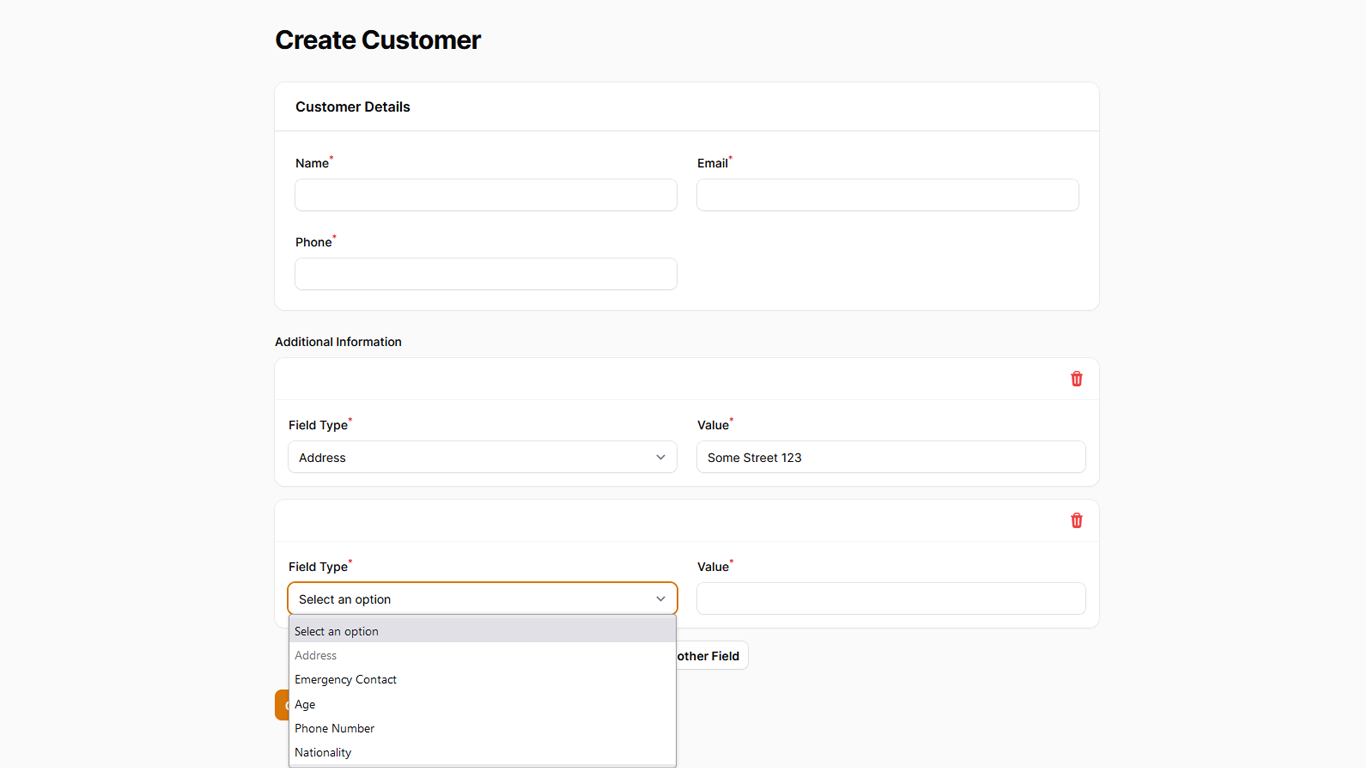
Demonstrates how to use dynamic custom fields in Filament Forms, similar to WordPress.
Get the Source Code:
Only This Example
One-time payment
 Sign in with GitHub to buy
Sign in first, then complete your $9 checkout.
FilamentExamples Membership
30-day money-back guarantee
How it works
The main logic here lives in our CustomerResource classes form() method:
- We are using a
Repeaterto create a dynamic number of fields - We are using a
Pivotmodel to enable our Many-to-Many relationship betweenCustomerandFieldmodels - We are turning off fields as soon as they are selected to prevent duplicates
Here's how that looks in our code:
app/Models/Field.php
class Field extends Model{ protected $fillable = [ 'name', ];}app/Models/CustomerField.php
// ...class CustomerField extends Pivot{ public function customer(): BelongsTo { return $this->belongsTo(Customer::class); } public function field(): BelongsTo { return $this->belongsTo(Field::class); }}Remember that this Model is required for the Repeater to work, as it's a Many-to-Many relationship. That's a Filament requirement.
app/Models/Customer.php
class Customer extends Model{ use HasFactory; protected $fillable = [ 'name', 'email', 'phone', ]; // We can access the many to many relationship with the fields() method public function fields(): BelongsToMany { return $this->belongsToMany(Field::class)->withPivot('value'); } // But Filament uses this to fill the repeater public function customerFields(): HasMany { return $this->hasMany(CustomerField::class); }}And finally, here's how we are building the form itself:
app/Filament/Resources/CustomerResource.php
public static function form(Form $form): Form{ return $form ->schema([ // We made a Section with our customer fields, nothing special Forms\Components\Section::make('Customer Details') ->schema([ Forms\Components\TextInput::make('name') ->required() ->maxLength(255), Forms\Components\TextInput::make('email') ->email() ->required() ->maxLength(255), Forms\Components\TextInput::make('phone') ->required() ->maxLength(255), ]) ->columns(), // Here's the Repeater with our custom fields Forms\Components\Repeater::make('fields') // ...