
Filament Table with Columns as Grid
Filament 4/5Tables work well for numerical data, but for showcasing people's portfolios, Filament's grid layout creates a more engaging and visual presentation.
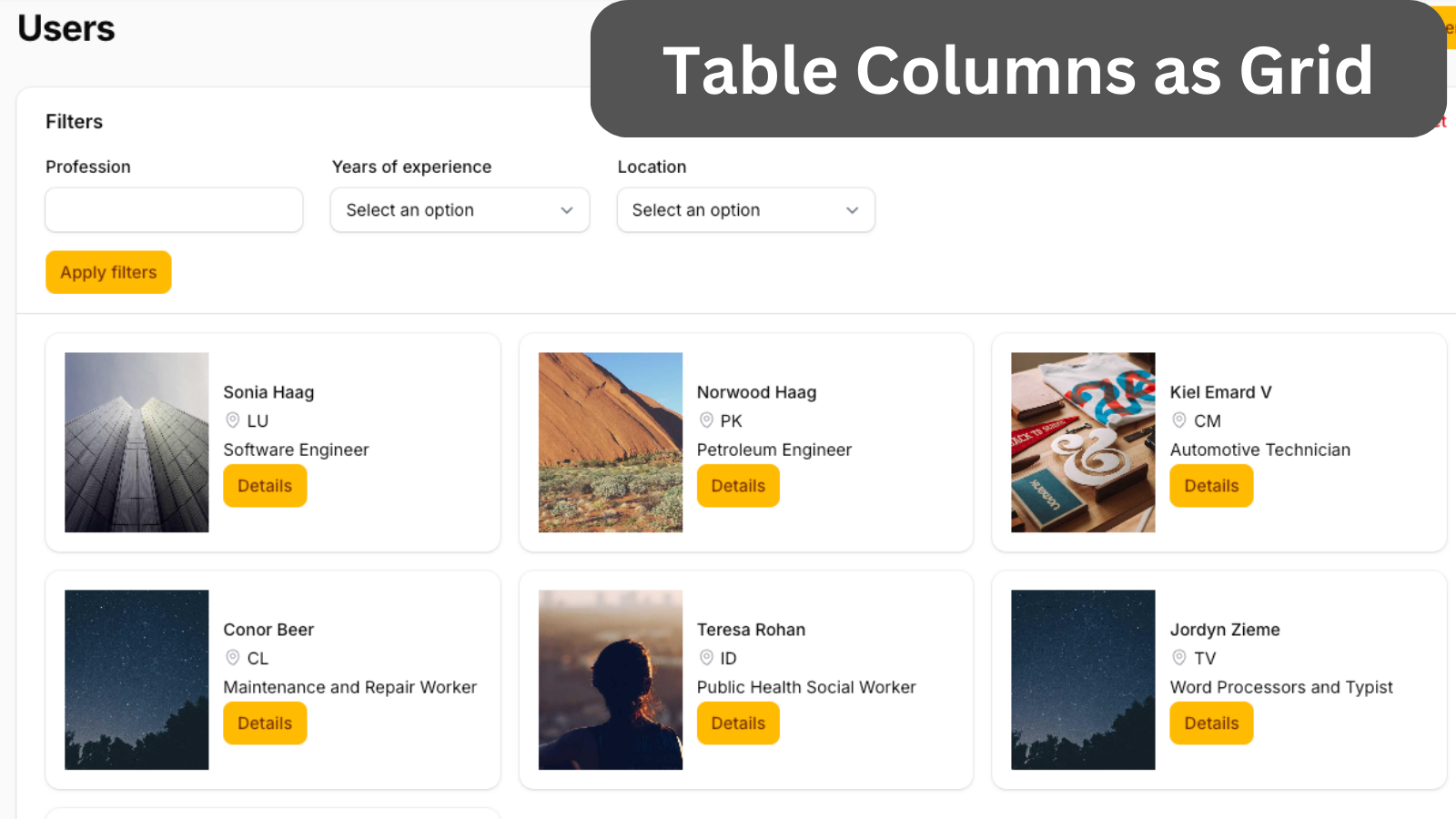
Get the Source Code:
Only This Example
One-time payment
 Sign in with GitHub to buy
Sign in first, then complete your $9 checkout.
FilamentExamples Membership
30-day money-back guarantee
How it works
The whole table logic is in the UserResource Filament Resource.
First, we create a one-column grid layout. Then, we have a split layout. Inside the split, we have a one-column grid layout with an image column. This grid is set not to grow.
The image column has its width and height set so that it takes up the whole card height. Using the extraImgAttributes(), we can add CSS classes to the image element. In this case, we make rounded corners.
Next, we have a stack layout, which allows us to have table columns in one grid column. We set the stack layout to grow and set the spacing for the text columns.
We set the font weight for the name table column using the weight() method. We can also add an icon using the icon() method.
We use a text column for the button and set the default value. In the default value, we return a Filament button Blade component.
app/Filament/Resources/UserResource.php:
use App\Models\User;use Filament\Support\Enums\FontWeight;use Filament\Tables\Columns\ImageColumn;use Filament\Tables\Columns\Layout\Grid;use Filament\Tables\Columns\Layout\Split;use Filament\Tables\Columns\Layout\Stack;use Filament\Tables\Columns\TextColumn;use Filament\Tables\Table;use Illuminate\Support\Facades\Blade;use Illuminate\Support\HtmlString; public static function table(Table $table): Table{ return $table ->columns([// ...