
Sports Standings Tables by Group
Filament 4/5Transform your single table into a grouped table list.
Get the Source Code:
Only This Example
$9
One-time payment
Full source code for Sports Standings Tables by Group
Downloadable ZIP file with the source code
Lifetime access to this example
 Sign in with GitHub to buy
Sign in first, then complete your $9 checkout.
Best value — all 176 examples
View membership plans
FilamentExamples Membership
$99
/year
or
$199
lifetime
Access to code of all 176 examples
Future new examples and updates included
FilaCheck Pro package licence included
MCP server included
30-day money-back guarantee
How it works
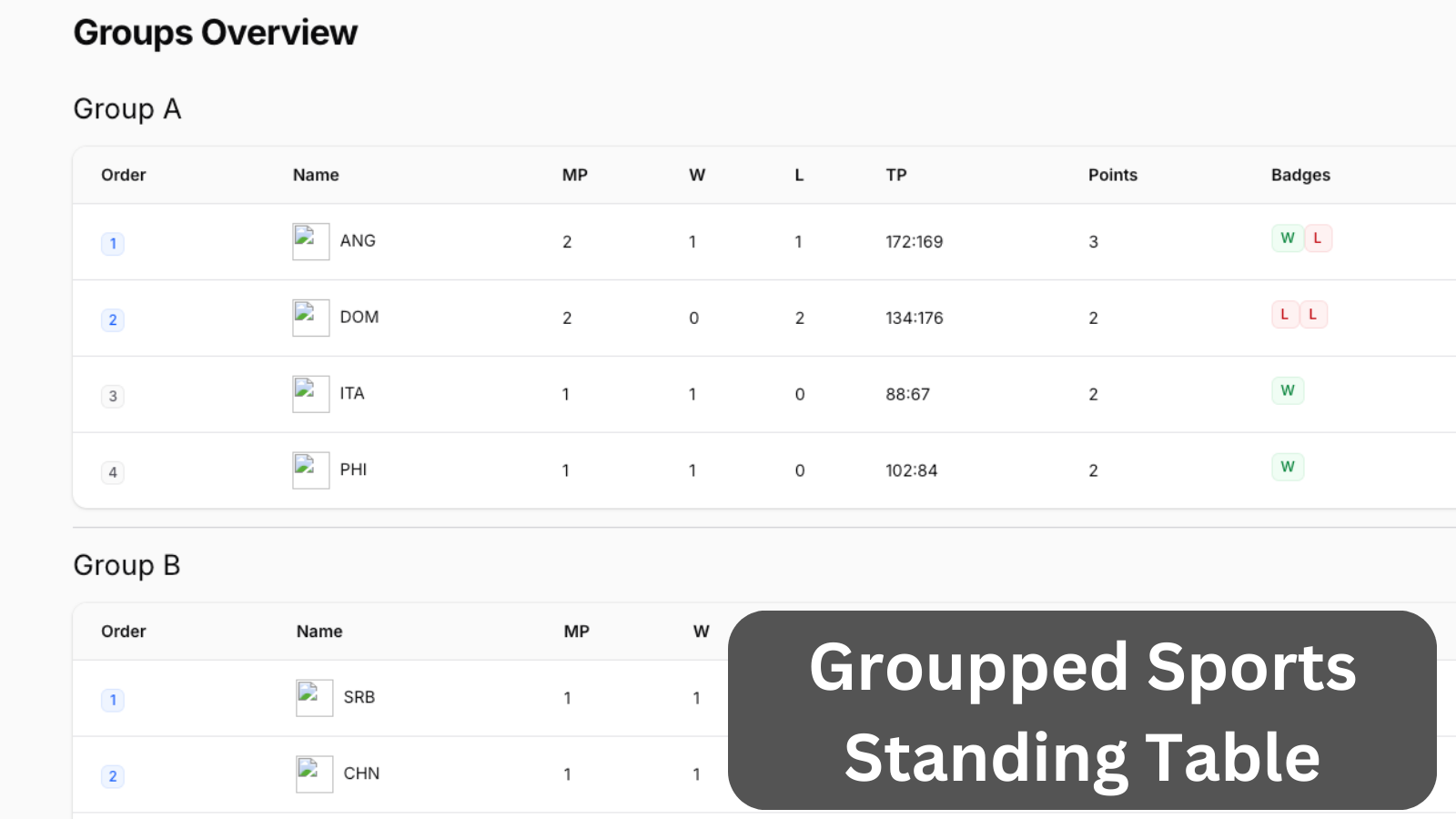
The main logic here lives in a custom page with a custom Livewire component that houses a Filament table:
- We have created a simple Filament Page called "Groups Overview"
- That page loads the initial groups and runs a foreach loop to display a Livewire component for each group
- Livewire component loads details about the group and all the teams
- It forms a Filament table and displays that table on the page
- There is a modified database query to order our teams by the score they have (one win = 2 points, one loss = 1 point)
- The table has quite a few custom column implementations that mutate the data to achieve the desired result
- The
Ordercolumn has a custom implementation that displays a badge for X amount of places (configured in the config file) - The
Namecolumn has a prefix that displays the team flag - The
Matches Playedcolumn counts how many games were played in real time -
WinsandLossescolumns count how many games were won/lost in real-time - The
Total Pointscolumn sums up the scored vs. missed points from the formatX:Yin real-time -
Pointscalculates points in real-time for display (this could be extracted to the database, but we kept it as an example!) -
Badgesuses a clever Blade injection to display Filament badges based on W or L per each game.
- The
Here's what that looks like in our code:
app/Filament/Pages/GroupsOverview.php:
use App\Models\Group;use Filament\Pages\Page;use Filament\Support\Icons\Heroicon; class GroupsOverview extends Page{ // ...Next, we'll create the groupped table that matches all of our requirements.
The FULL tutorial is available after the purchase: in the Readme file of the official
repository you would get invited to.